Cloud Construction Software That Cuts Bid Errors Fast for Contractors
Cloud Construction Software That Cuts Bid Errors Fast for Contractors ! Cloud construction bidding title card Cloud construction software gives every stakeholder, from the estimator to the site superintendent, real-time access to the same project data, and that shared visibility is what drives the biggest gains: fewer errors, faster bid cycles, and improved cost control.

Cloud construction software gives every stakeholder, from the estimator to the site superintendent, real-time access to the same project data, and that shared visibility is what drives the biggest gains: fewer errors, faster bid cycles, and improved cost control. The AGC’s cyber risk research ties centralized systems to earlier error detection, while Autodesk’s industry data links bad project data to very large global rework losses. Platforms like arosbid apply that same logic directly to bidding and preconstruction.
TL;DR:
- Cloud construction software improves bid accuracy by automating document review and quote leveling, which reduces errors and speeds up submission.
- Offline access in cloud platforms allows field staff to log data and take photos without internet, syncing automatically once reconnected, saving time.
- Scalable subscription pricing helps firms adjust licenses during busy periods, replacing capital expenses with operational costs.
- Centralized collaboration reduces rework by ensuring teams work from the latest data, with real-time updates on RFIs, drawings, and project costs.
- Most platforms include automatic updates and backups, minimizing IT maintenance and ensuring all users operate on the same, most current software version.
Table of Contents
- What Are the Top Cloud Construction Software Benefits?
- Collaboration and Real-Time Project Visibility
- Cost, Licensing, and Scalability
- Field Productivity and Mobility
- Data, Integrations, and Financial Controls
- Security, Compliance, and Risk Management
- How to Adopt Cloud Construction Software: A Practical Checklist
- Where Cloud Benefits Show Up First in Bidding
- Automatic Updates and Reduced IT Maintenance
- Environmental and Sustainability Benefits of Cloud Solutions
- Where Cloud Adoption Pays Off Fastest
- Get Started With Bid Management Software
- Sources
- FAQ
What Are the Top Cloud Construction Software Benefits?
If you’re evaluating a move to the cloud, these are the benefits that show up first and matter most on a live job.
- Real-time visibility. Everyone on the job, from the office to the trailer, sees the same numbers at the same time.
- Centralized documents. Plans, RFIs, submittals, and specs live in one place instead of scattered inboxes.
- Mobile and offline field access. Crews can log data without signal and have it sync the moment they reconnect.
- Predictable costs and easy scaling. Licensing flexes up or down instead of locking you into hardware.
- Faster bidding, less rework. Cleaner data at bid time means fewer change orders later.
- Finance and ERP integration. Job costs and estimates talk to accounting without duplicate entry.
- Security and disaster recovery. Backups and access controls that a single office server can’t match.
- Forecasting analytics. Dashboards surface cost and schedule trends before they become problems.
Collaboration and Real-Time Project Visibility
Version control used to mean someone yelling across a trailer to confirm which drawing set was current. Cloud plan rooms fix that by keeping one master file, with every markup, RFI, and submittal tied to a timestamp and an owner. When a subcontractor updates a shop drawing, the superintendent sees the change immediately instead of finding out three weeks later during a walkthrough.
Autodesk’s research found that this kind of centralized collaboration reduces rework and speeds up decisions across the project lifecycle, largely because teams stop working from outdated information. Live dashboards add another layer, exposing cost and schedule trends before they turn into disputes.
What actually changes day to day:
- RFIs route automatically to the right reviewer instead of sitting in a shared inbox.
- Dashboards flag budget drift by trade before the monthly report catches it.
- Field photos attach directly to the punch list item they document.
Pro Tip: Set permission tiers so trade partners only see their own bid packages and specs, not the whole project file. It keeps your document trail clean and avoids exposing pricing across trades that are competing for the same scope.
Cost, Licensing, and Scalability
On-premise systems mean buying servers, paying an IT contractor to maintain them, and hoping capacity matches your busiest season. Cloud platforms replace that capital expense with an operating expense: a monthly or annual subscription tied to how many seats or projects you actually need.
That shift matters more than it sounds. A firm that scales from three active bids to fifteen during a busy quarter can add licenses instead of buying hardware it will barely use come winter. The AGC’s cyber risk findings also point to a quieter savings driver: earlier error detection cuts the rework costs that quietly erode margins on fixed-price bids.
Before signing anything, budget for the costs vendors don’t advertise:
- Data migration and mapping time from legacy spreadsheets or old databases.
- Training hours for estimators and field staff who’ve never worked outside Excel.
- Integration work if your accounting or takeoff software needs a custom connector.
Field Productivity and Mobility
A foreman who can log a change order from a phone, with a photo attached, saves the office a full day of chasing paperwork. That’s the practical case for mobile cloud tools, and it’s why offline sync has become a baseline expectation rather than a premium feature.
The features that move the needle on site:
- Offline data capture that queues and syncs once a connection returns.
- Photo and video attachments tied directly to specific tasks or defects.
- Mobile time sheets that feed payroll without a second data entry pass.
- Digital punch lists that close out faster because nothing gets rewritten by hand.
Here’s a concrete version of how that plays out: a field super logs a material overage on a tablet at 7 a.m. By the time the project accountant opens their laptop, the entry has already synced, and the cost code gets corrected before the invoice goes out, not after. Trimble’s research on contractor adoption points to exactly this: real-time, outside-the-office access is the top reason contractors move to cloud tools in the first place.
Data, Integrations, and Financial Controls
Cloud software earns its keep when it stops forcing your team to enter the same number twice. A well-integrated system connects your estimating and takeoff tools to your accounting platform through APIs, so a vendor quote entered once in bid software shows up automatically in job costing.
Where this pays off in practice:
- ERP and accounting syncs eliminate the duplicate entry that causes cost-code mismatches.
- Import and export between takeoff, estimating, and proposal tools cuts hours off bid prep.
- Vendor quote leveling gets faster and more accurate when quotes land in one comparable format instead of five different PDFs.
None of this happens automatically during a software switch. Data mapping, deciding which fields carry over and which get cleaned up, is real work, and it’s worth assigning to one person rather than hoping it happens by committee. Skipping that step is the most common reason a promising pilot stalls.
Security, Compliance, and Risk Management
Cloud vendors handle infrastructure security: data centers, redundancy, encryption at rest. Your firm still owns the human side: who has access, how strong the passwords are, and whether an ex-employee’s login got revoked. That split is what security professionals call the shared-responsibility model, and missing it is where most construction firms get exposed.
Construction has become a bigger cyber target than most contractors realize. The AGC’s cyber risk paper documents rising attacks on the industry precisely because firms hold valuable financial and project data but often lag on basic protections.
NIST’s zero-trust guidance recommends identity-tier policies for exactly this reason: consistent access control across every cloud tool you use, not just the main one. Practical controls worth insisting on before you sign a contract:
- Multi-factor authentication on every user account, no exceptions for “just the admin.”
- Role-based access control that limits bid pricing visibility to those who need it.
- Encryption both at rest and in transit, confirmed in writing, not assumed.
- Activity logging so you can trace who touched what, and when.
How to Adopt Cloud Construction Software: A Practical Checklist
Rolling out new software across a construction firm fails most often because nobody defined what success looks like before day one. Fix that first.
- Define success metrics. Fewer bid disqualifications, faster proposal turnaround, or reduced change-order disputes; pick one or two, not ten.
- Inventory current systems and data. Know what’s in Excel, what’s in your accounting software, and what only lives in someone’s head.
- Pick a pilot project or trade. Start narrow. One estimator, one trade, one active bid cycle.
- Confirm integrations and offline behavior. Test the accounting sync and the offline mode before you’re relying on it in the field.
- Set governance and run training. Decide who approves access changes and who owns data cleanup.
- Measure against your KPIs, then scale. Expand only once the pilot shows real numbers, not just enthusiasm.
Most pilots run six to ten weeks before you have enough data to judge them fairly. Watch for the two biggest red flags: nobody uses the mobile app in the field, or the integration you were promised turns into a manual export every week.
Pro Tip: Pick a pilot trade with a heavy bid volume, like mechanical or electrical, so you get enough repetitions in six weeks to see a real pattern instead of one lucky (or unlucky) job.
Where Cloud Benefits Show Up First in Bidding
Centralized bid packages and vendor quotes speed up preparation and improve vendor selection, according to CMAA’s preconstruction findings. In practice, bid software can read the entire bid document set, flag missing clauses and conflicting specs before submission, and keep a human reviewer in the loop rather than replacing that judgment.
What that looks like day to day:
- Vendor quotes get leveled side by side instead of compared across mismatched spreadsheets.
- A command center can track approval status to ensure thorough review before submission.
- Integration with tools like Excel and Outlook helps estimators continue using familiar software.
- Historical cost data can carry forward, helping the next bid start with more information.
Firms testing this approach typically start with one bid cycle in a single trade, the same narrow-pilot pattern that works for any cloud rollout.
Automatic Updates and Reduced IT Maintenance
Every construction firm running on-premise software eventually hits the same wall: a critical patch gets delayed because nobody has time to schedule the server downtime, and six months later the system is running an outdated, more vulnerable version. Cloud platforms remove that decision entirely. Updates roll out on the vendor’s schedule, often overnight, and every user is on the same version the next morning without an IT ticket.
For a firm without a dedicated IT department, and most subcontractors don’t have one, this matters more than any single feature. There’s no server to patch, no local backup drive to swap out, no calling a contractor at $150 an hour because the estimating software won’t open on a Monday. The maintenance burden shifts to the vendor, whose entire business depends on uptime across thousands of customers, not just yours.
That doesn’t mean IT disappears from your job description. Someone still needs to manage user accounts, review access permissions, and confirm integrations still work after a vendor pushes a change. But that’s a fraction of the workload compared to running your own servers, applying security patches, and troubleshooting hardware failures during a deadline week.
The compounding benefit is consistency. When every project manager and estimator is automatically on the same software version, training materials stay accurate, support tickets reference the same interface, and nobody loses a week relearning a system after a delayed local update finally gets pushed through.

Environmental and Sustainability Benefits of Cloud Solutions
Fewer paper plan sets, fewer printed change orders, fewer trips to the jobsite trailer just to drop off a document someone could have pulled up on a phone. That’s the most visible sustainability benefit of cloud construction software, and it adds up faster than most firms expect once RFIs, submittals, and daily logs all move digital.
There’s a less visible benefit too. Shared cloud infrastructure runs on data centers built for efficiency at scale, typically far more efficient per computation than the server closet in a contractor’s back office running 24/7 for one company’s files. Consolidating workloads across many customers instead of maintaining redundant local hardware in every firm’s office reduces the total energy footprint of the industry’s data.
Cloud collaboration also cuts physical travel. When a superintendent, an architect, and a subcontractor can review the same live document from three different locations, that’s one less site visit scheduled purely to compare paper markups in person. Multiply that across a firm running a dozen active projects, and the reduction in unnecessary trips becomes a real, if rarely measured, part of a company’s carbon footprint.
None of this replaces the bigger sustainability conversations happening in construction around materials and building performance. But it’s a genuine, low-effort reduction that comes bundled with software most firms are adopting for entirely different reasons, faster bidding, better visibility, tighter cost control, and the environmental upside comes along for free.

Where Cloud Adoption Pays Off Fastest
Preconstruction and bid day are where cloud tools return value fastest, because that’s where bad data has substantial cost implications; a missed clause or a stale vendor quote can sink a bid before the job even starts. Firms that pilot cloud software here, rather than trying to convert an entire operation at once, see results in weeks, not quarters.
Any pilot needs a governance plan on day one: who owns data residency decisions, who approves access changes, and how quotes stay confidential between competing trades. Start with the implementation checklist above rather than skipping straight to a full rollout.
— arosbid team
Get Started With Bid Management Software
Bid disqualifications rarely come from a bad estimate. They come from a missed clause, a conflicting spec, or a vendor quote that never got compared properly, which bid management software aims to catch before submission. These platforms run the entire bid cycle, intake through buyout and debrief, inside a command center that tracks approvals and vendor quotes while integrating with tools like Excel or Outlook.
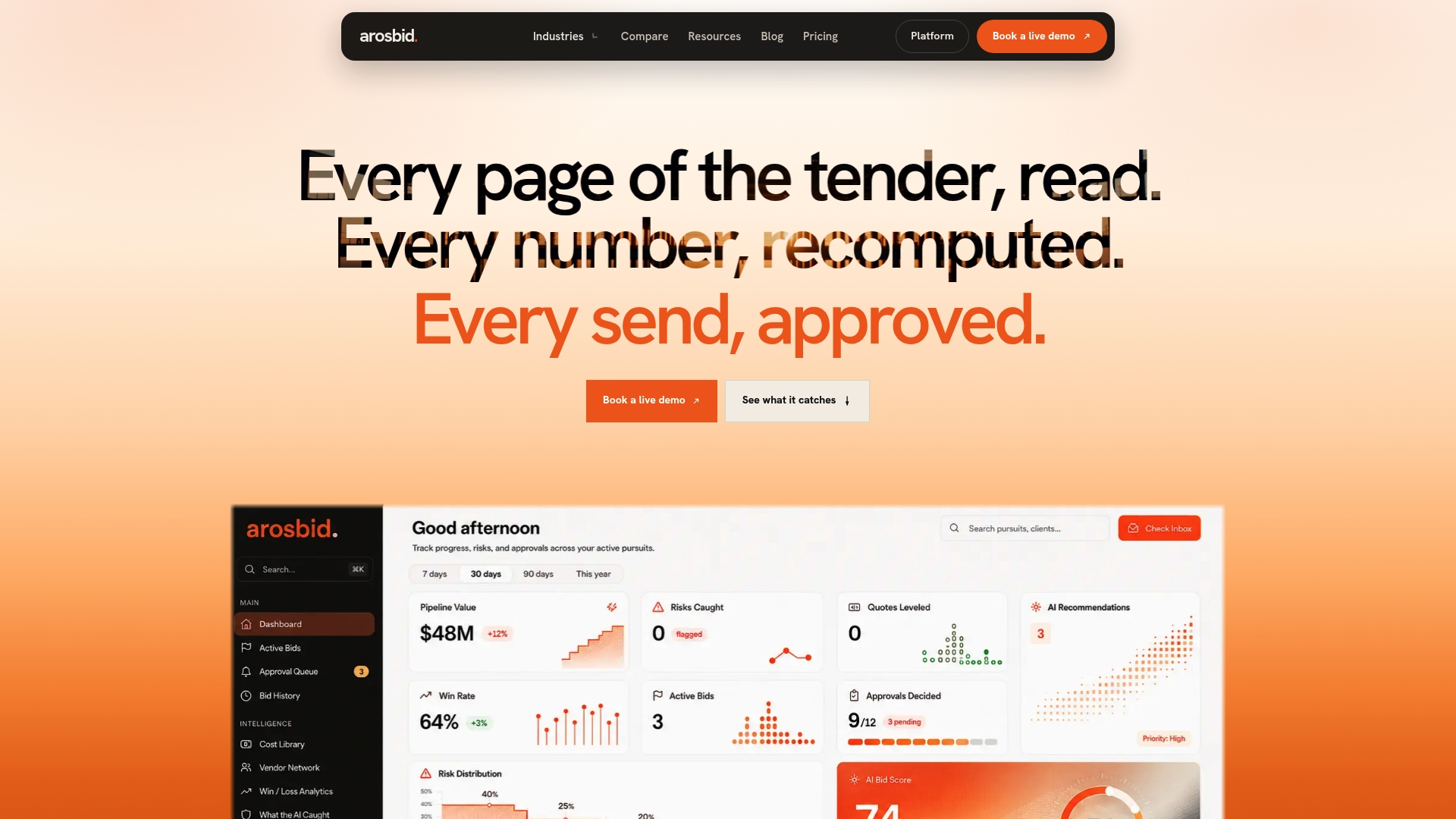
If bid accuracy and vendor quote leveling are the gaps costing your firm work, book a live demo and see the command center running against a real bid package. Pricing details for the One Desk, The Department, and The Whole Year plans are available on request, so you can match the plan to how many active bids your team runs in a given season. If you want the fuller product picture first, the bid management platform overview walks through how the automated review and compliance checks work end to end.
Sources
Claims in this article draw on the AGC’s cyber risk research, NIST’s zero-trust guidance, Autodesk’s cloud construction technology summary, and CMAA’s preconstruction guidance. Each source is worth a closer read for the underlying data behind the figures cited above.
- Cyber risks in the construction industry (AGC)
- NIST SP 800‑207A: Guidance for zero trust architectures
- Seven benefits of cloud construction technology (Autodesk)
- Leveraging cloud preconstruction (CMAA resource)
FAQ
What Are the Main Benefits of Cloud Construction Software?
The core benefits are real-time visibility, centralized documents, mobile field access, predictable costs, and stronger security than most firms manage on their own servers. Autodesk’s data ties these gains directly to reduced rework and faster decision making across a project’s lifecycle.
What Are the Risks or Disadvantages of Cloud Computing in Construction?
The main risks are cybersecurity exposure, dependence on internet connectivity, potential vendor lock-in, data residency questions, and the training time needed for field staff to adopt new workflows. The AGC’s cyber risk paper notes that construction firms are increasingly targeted, which makes proactive controls like multi-factor authentication essential rather than optional.
How Does Cloud Software Improve Construction Bidding Specifically?
Cloud bid platforms centralize bid packages and vendor quotes in one place, which speeds up preparation and improves vendor selection accuracy, according to CMAA’s preconstruction research. arosbid applies this directly by automating document review and quote leveling while keeping a human reviewer in charge of final approval.
Does Cloud Construction Software Work Without an Internet Connection?
Most modern platforms include offline modes that let field staff capture data, photos, and time entries without a signal, then sync automatically once connectivity returns. This is one of the top reasons contractors adopt cloud tools in the first place, since it removes the delay between a field entry and the office seeing it.
Will Cloud Software Integrate With Our Existing Accounting or Estimating Tools?
Most cloud construction platforms offer API connections or direct syncs to common accounting and ERP systems, reducing duplicate data entry between estimating and job costing. arosbid specifically integrates with Excel and Outlook, so teams can adopt it without replacing tools they already rely on daily.