Bid Email Management for Contractors: Catch ITBs with Gmail + Zapier
Bid Email Management for Contractors: Catch ITBs with Gmail + Zapier ! Sketch accents framing the article title Effective bid email management automates intake, pulls key fields and attachments out of every invitation to bid, routes qualifying emails into a bid tracker, and triggers consistent outbound notifications so nothing sits unread.

Effective bid email management automates intake, pulls key fields and attachments out of every invitation to bid, routes qualifying emails into a bid tracker, and triggers consistent outbound notifications so nothing sits unread. Done well, it cuts missed deadlines and gets estimators looking at the right opportunities within minutes instead of hours of inbox digging.
TL;DR:
- Capture the project, contractor, contact, deadline, walk through date, addenda, and document links; check separate addenda threads and signatures because sender addresses can misidentify contractors.
- Pilot one or two trades for a few weeks, and require estimator signoff before submission because parsers cannot reliably resolve conflicting specifications or legal clauses.
- For a bid cycle lasting two weeks, send reminders one week and 48 hours before the deadline; monitor the primary contact during blind bids.
- Use accurate sender details and a clear unsubscribe option, and remove hard bounces and stale addresses to protect deliverability and comply with commercial email rules.
Table of Contents
- How incoming bid emails and attachments get captured and parsed
- Routing, qualification, and creating bid tracker rows
- Outbound notifications and admin configuration for bid emails
- Deliverability and message design for subcontractor bid emails
- How ArosBid turns these steps into a working pilot
- Security and confidentiality measures for bid email communications
- Building effective bid-package emails and setting reminder cadence
- Handling bid email threads and keeping version control intact
- When to automate versus keep a human check
- Put your bid inbox on autopilot without losing control
- FAQ
- Sources
How incoming bid emails and attachments get captured and parsed
Most teams start with one of three intake points: a dedicated invitation-to-bid (ITB) mailbox, a project-specific mailbox, or a shared inbox several estimators already watch. A dedicated ITB mailbox keeps bid traffic separate from daily correspondence and is the easiest to automate. A shared inbox is faster to set up but harder to filter cleanly once volume grows.
Parsing an email means pulling structured data out of unstructured text and attachments. Three approaches handle this: rules that scan the email body for known phrases, OCR that reads scanned PDF plans and specs, and template or AI-based extraction that recognizes a general contractor’s typical bid-invite format even when the layout changes.
Whatever method you use, aim to extract the same core fields every time:
- Project name and location
- General contractor and primary contact
- Bid due date and time, plus any walk-through date
- Addenda references and planroom or document links
Edge cases trip up even solid parsing rules. Some invites list multiple dates (pre-bid meeting, RFI deadline, final bid date) and only one matters for your tracker. Addenda sometimes arrive in a separate email thread days later. And the general contractor’s name often lives in a signature block or letterhead rather than the email’s From header, so a parser that only checks sender addresses will miss it.
Routing, qualification, and creating bid tracker rows
Once fields are extracted, the next job is deciding which emails deserve a tracker row at all. A simple boolean rule, flagging any message containing “invitation to bid,” “ITB,” or “request for proposal,” filters out newsletters and vendor spam before they hit your estimators. Layer in trade filters (mechanical, roofing, steel) and spend-tier filters so a $4,000 patch job doesn’t consume the same review time as a $2 million package, and check attachment types since a bid invite without a PDF or spec link is often incomplete.
A practical automation stack looks like this: an inbox you monitor, a parsing service that extracts the fields above, an automation layer like Zapier or IFTTT, and a destination such as a spreadsheet or dedicated bid board. Zapier’s construction bid workflow documents exactly this pattern: Gmail monitors for incoming bid emails, a parser reads the invitation contents, a filter step removes non-matching messages, and a new row lands in Google Sheets automatically.
The sequence in practice:
- Monitor the inbox for new messages matching bid-related keywords.
- Parse the body and attachments for the core fields.
- Filter out anything that fails your trade or spend-tier rules.
- Create or update a tracker row with the extracted data.
- Notify and assign the relevant estimator.
Delays anywhere in that chain are a common cause of missed triage, since a parsing lag of even a few hours can push a same-day bid invite past your team’s review window.
Pro Tip: Pilot your automation on one or two trades for a few weeks before turning it on for every inbox, so you can fix parsing rules without disrupting live bids.
Outbound notifications and admin configuration for bid emails
Once bids are tracked, the outbound side needs its own configuration pass. Most bid platforms let administrators set an SMTP from-address override and a project-level sender name separately. Using one consistent from-address across every outbound bid notice, rather than letting each project manager send from a personal account, helps subcontractors recognize your messages and reduces the chance they land in spam.
Several event-triggered messages are worth configuring before you launch a bid package:
- Initial bid invitation with project scope and due date
- Reminder emails on a set schedule leading up to the deadline
- NDA or confidentiality agreement reminders for sensitive projects
- Automatic confirmation receipts when a subcontractor opens or responds
Bid platforms typically let you set reminder cadence by choosing how many days before the due date each reminder goes out, and Procore’s bid package settings include this alongside a primary bidding contact field and the option to attach bid documents directly rather than linking offsite.
Format the sender name clearly (company name plus “Bid Team” or similar) and include a short project description in the email body itself, not just in an attachment. If you enable blind bidding or an offline bid option, understand that it changes how replies route back to you and how subcontractors interact with the planroom, since blind settings typically suppress visibility into who else was invited.
Deliverability and message design for subcontractor bid emails
A parsing system only matters if your outbound invites actually get opened. Subject lines that lead with the due date and trade tend to outperform generic ones: “Roofing bid due 05/12, scaffold required” tells a subcontractor in two seconds whether to open the email now or later.
Segmentation beats blasting the same invite to your whole list. Grouping subcontractors by trade, recent bid activity, and responsiveness means the right estimator’s invite reaches someone likely to bid, not someone who hasn’t responded in a year.
List hygiene matters just as much as the message itself:
- Remove or flag hard bounces immediately so your sender reputation doesn’t degrade
- Verify new subcontractor addresses before adding them to a distribution list
- Maintain a suppressed list for unsubscribes and former vendors
- Review open and bounce rates quarterly, not just after a bad send
Any bulk invitation email also falls under the FTC’s CAN-SPAM Act compliance guide, which requires accurate header and From information, a clear opt-out mechanism, and honoring opt-out requests promptly for commercial email sent to a list.
A clean, well-segmented list with low bounce rates improves inbox placement and response rates for bid invitations, according to the FTC’s compliance guidance on maintaining accurate sender practices.
How ArosBid turns these steps into a working pilot
We built our platform around the same capture-to-notification chain described above, with human review kept in the loop at every stage. Connecting a mailbox, mapping extraction fields to your tracker, and setting assignment rules by trade takes a single setup session, and reminders and an audit trail turn on automatically once those rules are live.
A few integration notes matter in practice:
- Our Outlook integration is built to avoid false open counts from preview panes and automated scanners.
- Exports to Excel and existing bid boards let you keep the spreadsheets your team already trusts.
- Our estimating and bidding platform layers parsing and routing on top of tools you already run.
For a pilot, scope it to a handful of live bids, run the automation alongside your current manual process rather than replacing it outright, and measure two things: hours saved on triage and whether any deadline nearly slipped through. If you want a phased rollout plan rather than a cold start, our 60 to 90 day bid management workflow walks through pacing a pilot into full adoption. When you’re ready to see the intake and routing steps in your own inbox, you can book a live demo.
Security and confidentiality measures for bid email communications
Bid emails routinely carry pricing data, proprietary scope breakdowns, and sometimes NDA-covered project details, which makes them a target worth protecting deliberately rather than as an afterthought.
Start with access control: limit who can view a shared ITB mailbox, and use role-based permissions in your tracker so only assigned estimators see a given project’s figures. Two-factor authentication on any mailbox handling bid traffic closes one of the most common entry points for account compromise.
Encrypt sensitive attachments in transit where your email provider supports it, and avoid pasting raw pricing into email bodies when a password-protected PDF or a secure portal link will do instead. For projects under an NDA, configure automatic reminders that reinforce confidentiality terms rather than relying on a single mention in the original invite.
Version control ties into security as well. When multiple people reply to the same thread with updated numbers, keep a single source of truth, whether that’s a tracker row or a shared document, so a stale attachment never gets submitted by mistake. Retention policies matter too: decide how long bid correspondence stays in active mailboxes versus archived storage, and make sure departing employees’ access is revoked promptly so old threads don’t become an exposure point.
None of this replaces a subcontractor’s own data handling practices, but tightening your side of the exchange reduces the chance a sensitive bid package ends up somewhere it shouldn’t.

Building effective bid-package emails and setting reminder cadence
A bid-package email earns a response when it answers three questions immediately: what’s the project, what’s due, and by when. Lead with the project name and location, state the due date and time in the first two lines, and attach or link the documents rather than making a subcontractor hunt for a planroom URL buried in paragraph three.
Keep the body itself short. A one-paragraph scope summary, a bullet list of key dates, and a clear call to action (confirm receipt, submit by X, contact Y with questions) outperforms a long narrative that repeats what’s already in the attached spec.
Reminder frequency depends on the bid window length. For a two-week bid cycle, a reminder at the one-week mark and another 48 hours before due date covers most cases without feeling like spam. Bid platforms typically let administrators choose how many days before the deadline each reminder fires, a setting Procore documents alongside its other bid package configuration options.
Blind bidding, where subcontractors can’t see who else was invited, changes how your package email should be worded. Without competitor visibility, subcontractors often ask more clarifying questions by reply, so make sure your primary contact field is monitored closely during an active blind bid window rather than routed to a general inbox.
Handling bid email threads and keeping version control intact
A single bid can generate a dozen email threads: the original invite, addenda, RFIs, vendor quote replies, and last-minute clarifications. Left unmanaged, that volume buries the one number that actually matters on submission day.
The fix starts with naming conventions. Keep the project name and bid number in every subject line, including replies, so threads stay groupable even when a subcontractor renames the subject or starts a new message instead of replying. When addenda arrive separately from the original invite, as they often do, link them back to the original tracker row immediately rather than letting them sit as an orphaned email.
Version control for the proposal itself deserves the same discipline. If three people on your team touch the same estimate over email attachments, only one version should ever be marked “final,” and that designation should live in your tracker, not in someone’s memory of which attachment came last. A simple convention, like appending a version number and date to every file name, prevents an outdated number from slipping into a final submission.
For threads involving multiple vendor quotes on the same scope, consolidating replies into a single leveling view rather than scrolling through separate email chains makes comparison far faster and reduces the odds of misreading a number copied from the wrong thread.

When to automate versus keep a human check
Automation handles repetitive extraction well: dates, contact names, attachment sorting. It should not be trusted to catch conflicting specs, ambiguous legal clauses, or complex alternates buried in an addendum, since those require judgment a parser doesn’t have.
Stage your rollout in order: capture, parse, route, assign, then close the loop with a human sign-off before anything moves to submission. Start automation at the mailbox level first and build out trade-specific rules gradually rather than trying to cover every scope on day one.
— arosbid team
Put your bid inbox on autopilot without losing control
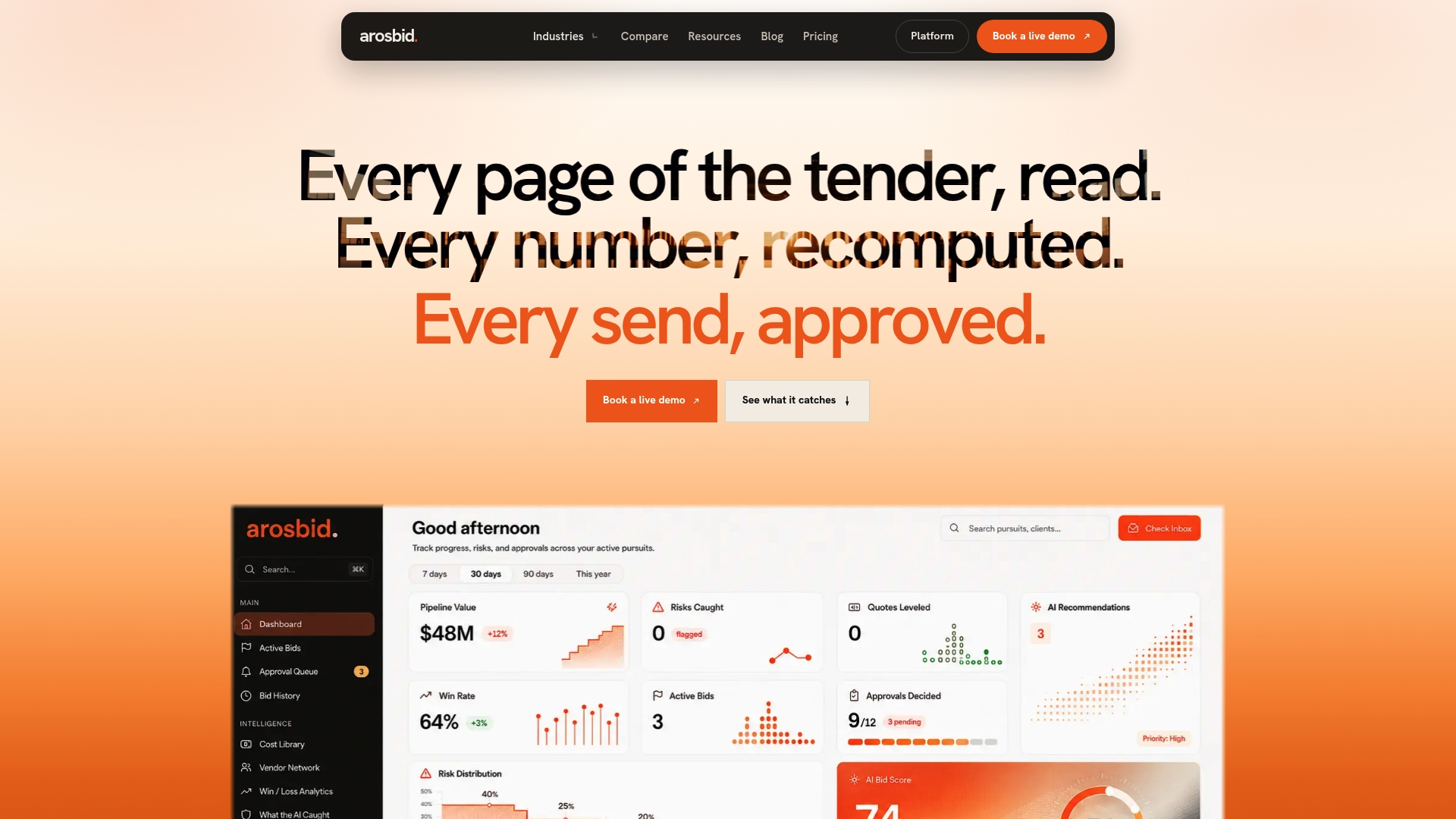
The platform is designed so the manual parts of bid email management, reading every invite, chasing addenda, remembering reminder schedules, get automated while the judgment calls stay with your team. Automated parsing pulls the fields estimators need, a built-in audit trail logs every change to a bid record, Outlook integration keeps your existing inbox as the front door, and assignment rules route each invite to the right estimator by trade.
- Map one mailbox and run a 30-day pilot before expanding.
- Keep your current spreadsheets and Outlook workflow in place while testing.
- Compare time saved on triage against your current manual process.
Check pricing for all three plans or book a live demo to walk through intake, parsing, and routing with your own bid emails.
FAQ
What is the best bid management software?
The right choice depends on your trade, volume, and whether you need to document compliance checks alongside intake automation. Platforms that combine email parsing, a bid tracker, and vendor quote leveling in one place, such as our estimating and bidding platform, tend to fit subcontractors managing multiple simultaneous bids best.
What are the five D’s of email management?
Definitions vary across sources, but a common version covers delete, do, delegate, defer, andditto (filing for reference). Applied to bid emails, this means deleting non-bid traffic immediately, acting on urgent due dates, delegating trade-specific invites to the right estimator, deferring lower-priority bids to a review queue, and filing reference documents like addenda for later retrieval.
Is bid manager a stressful job?
Bid management involves tight deadlines, high-stakes accuracy requirements, and coordination across multiple subcontractors and documents, which many professionals in the role describe as demanding. Automating repetitive intake and parsing tasks, as described in Zapier’s bid tracking workflow, reduces some of that pressure by handling routine triage so bid managers can focus on judgment calls.
How do I keep a shared bid inbox organized across a team?
Route incoming invites into a tracker immediately so the inbox itself doesn’t become the system of record, and assign ownership of each bid row to one estimator to avoid duplicate work. Practical workflow guidance from BidWolf on managing multiple bids reinforces keeping communication centralized rather than scattered across personal inboxes.
What should I check before choosing bid email automation?
Confirm the tool can parse both email bodies and PDF attachments, since many bid invites bury key dates inside the document rather than the message text. Also check whether it integrates with tools you already use, like Outlook and Excel, so adoption doesn’t require rebuilding your existing workflow.
Sources
- Create a bid tracker row from incoming bid emails | Zapier
- Create a bid package with bid management enhanced experience | Procore