Fix Cost Codes in Construction: A 10 Step Setup for PMs
Fix Cost Codes in Construction: A 10 Step Setup for PMs ! Construction cost coding title card illustration Cost codes are standardized identifiers that sort every dollar and hour on a job by task or activity, like framing, electrical rough-in, or site cleanup.
Cost codes are standardized identifiers that sort every dollar and hour on a job by task or activity, like framing, electrical rough-in, or site cleanup. The fastest path to reliable job costing is adopting a proven master list, CSI MasterFormat, rather than inventing your own from scratch, then trimming it to match how your company actually builds. Get this right and your estimates start lining up with your actuals, your progress invoices stop causing arguments, and change orders finally have a paper trail.
TL;DR:
- Adopting the CSI MasterFormat standard ensures consistent coding that aligns with industry expectations and simplifies project documentation and billing.
- Using a tiered, numeric structure like 09.30.10 for labor within a specific division improves tracking accuracy and helps identify budget issues precisely.
- Implementing a pilot program on a mid-size project helps refine the code structure and training, reducing disruption across the entire company.
- Integrating cost codes into billing, change orders, and payroll processes prevents disconnects that can lead to disputes and margin leaks.
- Utilizing bid management tools with AI assistance cuts coding errors early and streamlines vendor quote alignment to improve estimate accuracy.
Table of Contents
- What Standards Govern Construction Cost Coding?
- How Should You Structure and Format Cost Codes?
- How Do You Roll Out Cost Codes Without Wrecking a Live Project?
- How Do Cost Codes Connect to Estimating, Billing, and Change Orders?
- What Should You Look for in Cost-Coding Software?
- What Mistakes Undermine a Cost-Code System?
- How Bid and Estimating Platforms Reduce Coding Friction
- Why Cost-Code Discipline Is an Operational Bet, Not a Bookkeeping Task
- Cut the Manual Coding Work Out of Your Bid Process
- Sources
What Standards Govern Construction Cost Coding?
Most contractors don’t need to invent a coding system. One already exists, and odds are your estimating software already has it loaded.
CSI MasterFormat is the reference point the industry keeps coming back to. The Construction Specifications Institute originally built it around 16 divisions covering broad categories like concrete, masonry, and electrical work. As buildings got more complex, that structure couldn’t keep up, so CSI expanded MasterFormat into a system with roughly 50 divisions, giving specialty trades, technology systems, and process equipment their own dedicated slots instead of getting crammed into a catch-all category. If you’ve ever opened a spec book organized by Division 03, Division 09, or Division 26, you’ve already seen MasterFormat in action.
UniFormat solves a different problem. Instead of organizing by material or trade, it groups costs by building element and assembly, like substructure, exterior enclosure, or interior finishes. That makes it useful earlier in a project, when you’re pricing a building by system before drawings are finalized. A lot of estimators use UniFormat for conceptual budgets and then shift to MasterFormat once the design firms up and trade packages get issued. They’re not competing standards. They serve different phases of the same job.
AIA contract documents don’t hand you a cost-code list, but they do expect your schedule of values and payment applications to break down work in a way an owner’s representative can follow. Aligning your internal codes with a MasterFormat-style structure makes that translation almost automatic, since architects and owners are already fluent in it.
So which one should you actually adopt?
- Commercial general contractors and larger subs usually benefit from a close-to-standard MasterFormat structure, especially if they bid public or institutional work where owners expect that format.
- Small residential and light commercial contractors often do fine with a pared-down version. A simplified two-tier system mapped loosely to CSI captures what matters without forcing a five-person crew to memorize fifty divisions.
- Design-build firms and early-stage estimators lean on UniFormat for conceptual pricing, then convert to MasterFormat once the project moves into construction documents.
- Anyone bidding to institutional owners should default toward MasterFormat alignment, since it’s what reviewers expect to see in a schedule of values.
You don’t have to build this from a blank spreadsheet. CSI publishes downloadable master lists, and most construction management platforms, Procore among them, ship with a default cost-code list based on MasterFormat that you can import and then edit. Start there. Delete what you don’t need rather than adding codes one at a time as jobs come up, which is how companies end up with three different codes for the same drywall scope five years later.
How Should You Structure and Format Cost Codes?
A cost code is only useful if everyone on the job can read it and agree on what it means. That comes down to structure, not cleverness.
Most working systems use a tiered format: division, then section, then task, connected by a consistent delimiter like a period or dash. A typical build looks like this:
- 09.30.10 — Division 09 (Finishes), Section 30 (Tile), Task 10 (Labor)
- 09.30.20 — Same section, Task 20 (Materials)
- 26.05.10 — Division 26 (Electrical), Section 05 (Common Work Results), Task 10 (Rough-in Labor)
That third tier is where the real management value lives. Splitting labor from materials from equipment within the same section lets you see exactly where a budget is bleeding, instead of just knowing “tile” ran over.
Numeric vs. alphanumeric is worth deciding early, because switching later means re-mapping every historical job. Pure numeric codes (03310, 09900) sort cleanly in spreadsheets and match CSI’s own format almost exactly, which makes importing master lists painless. Alphanumeric codes (ELEC-RI-LAB, CONC-SLAB-MAT) read faster for field crews who aren’t going to memorize five-digit strings, but they sort inconsistently in some software and take more discipline to keep uniform across trades. Larger firms with dedicated cost engineers tend to go numeric for MasterFormat compatibility. Smaller trade contractors often go alphanumeric because their foremen are coding time cards from a truck, not a desk.
Here’s a compact sample list you can adapt directly, structured for a general trade contractor running mixed commercial work:
Expand this by adding a fourth tier for equipment or subcontract costs, or by breaking “labor” into regular time and overtime if payroll reporting needs that granularity. Roofing crews, structural steel erectors, and mechanical subs will each prune and expand this differently based on how many trade-specific line items they actually track. The goal isn’t maximum detail. It’s enough detail that a project manager can spot a problem before it eats the job’s margin.
How Do You Roll Out Cost Codes Without Wrecking a Live Project?
Rolling out a new coding system in the middle of active jobs is how good intentions turn into a mess of half-coded invoices. Sequence matters. Here’s a rollout order that keeps disruption low and adoption high.
- Pick your baseline standard. Decide between full MasterFormat, a simplified subset, or a UniFormat-to-MasterFormat hybrid based on project type and owner expectations, then document that choice in one place everyone can access.
- Import and prune, don’t build from zero. Pull in a standard master list through your software and delete codes your company will never use rather than typing codes in one by one. This alone saves most of the setup time.
- Map codes to your estimating template. Every line item in a new estimate should default to a cost code automatically, not get assigned after the fact by whoever remembers to do it.
- Assign coding ownership by role. Project managers own code creation and the master codebook. Site leads assign codes to daily field activity and verify time-card entries. Bookkeepers or controllers reconcile coded costs against the budget weekly. Someone, usually the PM or a controller, has final approval authority on new codes so the list doesn’t sprawl.
- Build codes into contracts and purchase orders before work starts, not after invoices arrive. Vendor POs and subcontract agreements should reference the cost code up front.
- Train crews on the codes they’ll actually touch, not the entire master list. A framing crew doesn’t need to see electrical codes on their time sheet.
- Pilot on one active project before rolling out company-wide. Pick a mid-size job with a cooperative PM, run it for four to six weeks, and track two numbers: estimate-versus-actual variance by code, and how many receipts or time entries come in late or uncoded.
- Review pilot results and adjust the list. If three different foremen keep miscoding the same activity, the code name or structure is the problem, not the crew.
- Roll out to all new projects, keeping legacy jobs on their original system rather than retrofitting codes onto work that’s already 80% billed.
- Set a recurring review cadence. Monthly is typical for active general contractors; quarterly works for firms running fewer, longer jobs.
The pilot step is the one most companies skip, and it’s the one that saves you from a company-wide rollout built on a coding structure nobody actually likes using.
Pro Tip: Run your pilot on a project with a schedule of values that already mirrors CSI divisions. It cuts your mapping work roughly in half because you’re not translating between two structures at once, you’re just adding granularity to one.
Two numbers tell you whether the rollout is working: estimate-to-actual variance tightening over successive draws, and the percentage of time entries or invoices coded correctly on the first pass rather than kicked back for correction. If that second number isn’t climbing after the pilot, the training step needs another pass before you scale up.
How Do Cost Codes Connect to Estimating, Billing, and Change Orders?
A cost code that only lives in your estimate is half a tool. Its real value shows up when the same code follows the money through invoicing, payroll, and change orders without anyone re-typing it.
Schedule of values and progress billing should mirror your cost-code structure directly. When your AIA G702/G703 pay application breaks down by the same divisions and sections used in your estimate, an owner’s rep can trace a billed percentage back to actual field progress in seconds instead of asking you to explain the math. Aligning your billing structure to your coding structure is one of the fastest ways to cut down on payment application disputes.
Crew time entry is where most coding systems quietly fail. If a foreman is filling out a paper time card at 5:30 PM after a ten-hour day, coding accuracy drops fast unless the code list in front of him only shows the six or eight codes relevant to his crew. Trade-specific code subsets, not the full master list, are what keep field-level coding honest.
Change orders need their own coding discipline or they become invisible margin leaks. A consistent workflow looks like this:
- Every change order gets a unique code tied to the original scope’s division, not a generic “extras” bucket that swallows a dozen unrelated changes.
- Labor and material on change work get tracked separately from the base contract from day one, not reconciled after the fact.
- No change order code goes live without a signed approval attached, even a verbal one documented in writing.
- Change order costs roll up into their own report line so a PM can see cumulative change work as a percentage of contract value at a glance.
Reports worth running on a regular cycle include a weekly labor-versus-budget report by code, a monthly estimate-to-actual variance report across all active jobs, and a change order log showing approved versus billed amounts. The red flag to watch for is a code showing zero activity for weeks and then a massive lump entry right before invoicing. That almost always means someone was saving up uncoded receipts instead of entering them as they came in, which is exactly the habit a good rollout is supposed to break.
What Should You Look for in Cost-Coding Software?
Software doesn’t create discipline, but the right setup removes most of the friction that kills discipline in the first place.
Look for a platform that lets you import a master cost-code list once and reuse it across every new project rather than rebuilding it job by job. Configurable segments matter too: being able to split a code into division, phase, and cost type (labor, material, equipment, subcontract) gives you reporting flexibility that a flat, single-tier list can’t.
Before you commit to a structure company-wide, check a few integration points:
- Chart of accounts mapping between your cost codes and your accounting system, so job-cost reports and general-ledger entries actually agree with each other.
- Time-tracking integration, so field-entered hours land against the right code without a bookkeeper re-keying them.
- Project management software sync, particularly for change orders and purchase orders, so a code created in one system doesn’t need to be manually replicated in another.
Test any import in a sandbox environment first. Migrating historical projects works best when you keep a mapping table linking old codes to new ones, so last year’s jobs stay comparable to this year’s in cross-project reports instead of turning into an unreadable gap in your data.
Pro Tip: Watch for delimiter mismatches during import. A code written as “09.30.10” in your estimate and “09-30-10” in your accounting software will look identical to a human and completely different to most software, silently breaking your reports.
What Mistakes Undermine a Cost-Code System?
Most cost-code failures aren’t structural. They’re behavioral, and they show up the same way across almost every company that struggles with this.
- Vague code names. “Misc labor” and “general” absorb everything nobody wants to categorize properly, and within two months they’re the biggest line item on every job.
- Mismatched coding between estimate and field. If the estimate uses one structure and the field crew codes time against a different one, your variance reports are comparing two unrelated things.
- No time-tracking discipline. A perfect code list means nothing if crews batch-enter a week of hours against one generic code on Friday afternoon.
- No single source of truth. When the accounting team’s code list and the PM’s estimating template drift apart, someone eventually builds a spreadsheet to reconcile them by hand, which defeats the entire point.
Governance fixes are simple to state and harder to maintain: keep one written codebook with a change log, require PM sign-off before any new code gets added, and run a quarterly audit comparing coded actuals against the master list. When an estimate-versus-actual mismatch shows up, trace it in this order: check for a coding error first, then a missed change order, then a scope gap in the original estimate. In that order, because coding errors are the most common cause and the fastest to fix.
How Bid and Estimating Platforms Reduce Coding Friction
Cost codes only pay off if the numbers feeding them are accurate before the job even starts, and that’s where a lot of coding systems quietly break down. If a vendor quote gets entered against the wrong line item during bid leveling, that error rides through the entire job.
A bid management platform is built around that handoff point. It tracks vendor quotes and helps level them against a project’s line items, and because it connects with tools contractors already use, quote data doesn’t have to be manually re-typed into a separate coding structure. AI-assisted bid leveling flags mismatched or missing line items before they ever get baked into an estimate. For a mechanical or electrical subcontractor juggling a dozen vendor quotes on a single bid, that catch point can shorten the pilot phase of a coding rollout considerably, since fewer coding errors are entering the system in the first place.
Why Cost-Code Discipline Is an Operational Bet, Not a Bookkeeping Task
Cost codes get treated as an accounting formality, filed away with tax paperwork instead of managed as a live operational tool. That’s backwards. A coding system that’s actually maintained tells a PM which activity is bleeding margin while there’s still time to do something about it, not three months later during a post-mortem nobody wants to attend.
The firms that get real value out of coding aren’t the ones with the most detailed master list. They’re the ones who kept the list boring, enforced it consistently, and reviewed variance reports weekly instead of quarterly.
— arosbid team
Cut the Manual Coding Work Out of Your Bid Process
Cost codes solve job costing once the job is underway, but a huge share of coding errors get baked in earlier, during the bid and estimating phase, before a single code even gets assigned. arosbid was built to catch that earlier problem: vendor quotes come in in different formats, from different trades, on different timelines, and someone still has to line them up against the right scope before pricing goes final.
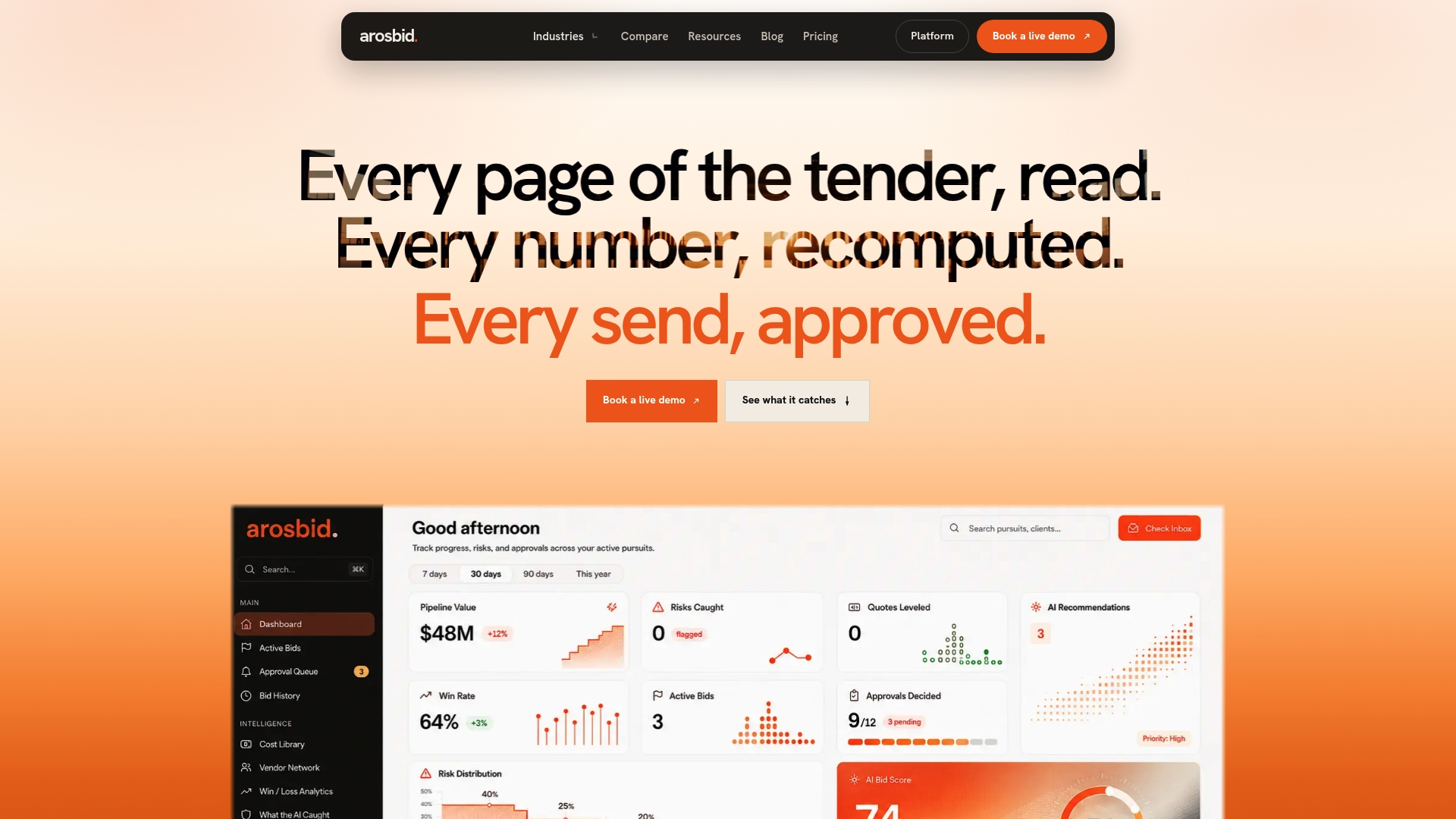
arosbid’s AI bid leveling and vendor quote leveling tools standardize incoming quotes automatically, so the line items feeding your estimate, and eventually your cost codes, start out consistent instead of needing cleanup after the fact. The platform runs alongside Excel and Outlook, so your team isn’t abandoning existing workflows to get there. If your current bid process is where coding errors originate, that’s the point worth fixing first. You can see how it works on a live project by booking a demo.
Sources
- CSI MasterFormat — Construction Specifications Institute
- Construction cost codes: Everything you need to know — Autodesk (Digital Builder)
- What are Procore’s default cost codes? — Procore Support