4 High Value Flows: Project Management Integration for Estimators
4 High Value Flows: Project Management Integration for Estimators ! Construction integration title card illustration For construction estimators and project managers, project management integration means connecting bid and estimating software directly to the project management and cost-control systems where budgets, purchase orders, and approvals live.
For construction estimators and project managers, project management integration means connecting bid and estimating software directly to the project management and cost-control systems where budgets, purchase orders, and approvals live. It’s not the coordination discipline project managers study for a PMP. The single best first step: automate the moment a bid is marked “won” so it creates a live project and budget without anyone retyping a line item. Some bid and estimating software are built to support that handoff.
TL;DR:
- Connecting bid management to project budgets immediately after a bid is won can significantly reduce setup time from hours to minutes.
- Prioritize automating data flows such as vendor quotes to purchase orders and field progress to job costing to prevent margin erosion.
- Build a detailed data map and conduct thorough testing with messy data before enabling live syncs to avoid silent errors and data corruption.
- Use native connectors for simplicity, middleware for flexibility, or APIs for high-volume needs, choosing based on your team’s technical capacity.
- Regularly review and update your integration setup, including data maps and triggers, every quarter to maintain accuracy and prevent failures.
Table of Contents
- Which Integration Data Flows Matter Most for Construction Teams?
- How to Plan an Integration: Data Mapping and Governance
- Integration Methods: Native Connectors, Middleware, and Custom APIs
- Testing, Validation, and a Phased Rollout Roadmap
- Common Pitfalls, Best Practices, and Lightweight Governance
- How ArosBid Supports Bid-to-Project Integrations
- How the Integration Preserves Approvals, Compliance Checks, and Audit Trails
- Security Considerations for Data Integration in Project Management Systems
- Impact of Integration on Team Collaboration and Communication Workflows
- Best Practices for Maintaining and Updating Integrations Over Time
- ArosBid Team Perspective: What to Do Next
- How to Evaluate ArosBid and Book a Live Demo
- Sources
Which Integration Data Flows Matter Most for Construction Teams?
Not every connection is worth building. Four data flows deliver most of the payoff, and they follow the money through a project’s life cycle.
- Bid won → project and budget. The moment a bid status flips to “won,” the estimate should spawn a project record with a budget that mirrors your cost breakdown, not a blank template someone rebuilds from scratch.
- Winning vendor quote → purchase order and vendor record. Once you’ve leveled quotes and picked a supplier, that data should populate your PO and vendor file automatically, keeping committed costs visible from day one.
- Approval → payment schedule or milestone. Sign-offs on change orders or draws should trigger updates to your payment milestones without a separate spreadsheet tracking who approved what.
- Field time and progress → job costing. Labor hours and percent-complete updates from the field need to land in job cost reports the same day, not at month’s end.
Each flow removes a manual re-entry step, and manual re-entry is where projects lose both time and margin. Connecting estimating systems directly to project management hubs can shrink project setup from hours or days down to minutes.
If you’re picking a starting point, run “bid won → project and budget” first. Add “vendor quote → PO” as your second flow once the first one is stable.
How to Plan an Integration: Data Mapping and Governance
Before anyone touches an API key, build a data map. This is a simple table, and it’s the difference between an integration that works and one that quietly corrupts your numbers within a month.
- List source and destination fields side by side. Columns: Source field, Destination field, Field type, Transform rule, Required?
- Test each row with sample data. A “Bid Total” field that’s currency in your estimating tool but text in your PM tool will fail silently unless you catch it here.
- Choose triggers by business event, not by database activity. Use “Bid status: Won,” not “New bid created” — the latter fires on every draft and duplicate.
- Lock the estimate as the source of truth. Cost lines flow one direction: from estimate to project. Changes made in your PM or accounting tool should post as adjustments, never overwrite the original estimate.
That last rule is not optional if you want an auditable trail. Once a PM tool can write back into your estimate, you lose the ability to say with certainty what you actually bid.
Pro Tip: Run at least five test rows with intentionally messy data, extra decimal places, blank fields, special characters in project names, before you trust any live sync. Field-type mismatches are the number one cause of integrations that “work” in testing and break on the third real project.
This planning phase is also where system integration architecture for AEC firms tends to start: time tracking and CRM triggers first, then two-way financial syncs once the basics hold.
Integration Methods: Native Connectors, Middleware, and Custom APIs
Three paths get you from bid software to your PM system, and the right one depends on your team’s technical bandwidth more than your budget.
- Native integrations connect two platforms directly, out of the box. They’re the fastest to set up and the most reliable because the vendors maintain the mapping for you, but you’re limited to whatever fields the vendor decided to support.
- Middleware platforms like Zapier or Make sit between your tools and let you build custom field mappings without writing code. A well-constructed data map paired with middleware can deliver most of the value of a custom build at a fraction of the cost, which matters for lean teams without a developer on staff.
- Custom APIs give you full control over volume, timing, and logic, but they need developer time to build and maintain. Reserve this route for high-volume syncs where native and middleware options can’t keep pace.
- Hybrid approaches run an ERP as the financial core while specialized estimating and field tools connect through APIs, balancing depth with flexibility.
When you sit down in a demo, ask the vendor to show a real trigger firing end to end, not a slide. Check how errors surface, whether failed syncs retry automatically, and what happens to a record when a required field is empty.
Testing, Validation, and a Phased Rollout Roadmap
Skip the sandbox and you’re testing in production, on a live bid, with real client money attached. Don’t do that.
- Build a sandbox environment and run scenarios that mimic real chaos: unusual characters in project names, unusually large line-item counts, duplicate vendor entries, and bids with zero-dollar line items.
- Pilot with two or three projects, not your entire portfolio. Pick a mix of project sizes so you catch scale-related bugs early.
- Monitor daily for the first two weeks of live use. Assign one person to check sync logs every morning, not just when someone complains.
- Define success metrics before you launch, not after: time from “bid won” to project kickoff, number of manually corrected records, and how many fields required a second look.
Starting with one high-value trigger and getting it right in a sandbox before widening scope is the approach that holds up across implementation guides in this space, and for good reason: a single clean automation you trust beats five shaky ones you have to babysit.
Track handoff time specifically. Teams that automate the bid-to-project conversion routinely cut project setup from a multi-hour task to a matter of minutes, which is the single most visible win you can report back to leadership after a pilot.
Common Pitfalls, Best Practices, and Lightweight Governance
Most integration failures trace back to a handful of repeat offenders, and they’re avoidable if you know to look for them.
- Mismatched field types. A number field syncing into a text field looks fine until someone tries to sum it.
- Bi-directional writes on cost data. Letting your PM tool edit the original estimate destroys your audit trail and your ability to defend a bid later.
- Noisy triggers. Firing a sync on every save instead of on a specific status change floods your PM system with junk records.
- Inconsistent cost codes between estimating and PM systems, which turns job costing into a reconciliation project every month.
The fix is governance you actually enforce, not just document: keep the estimate as the single source of truth, maintain a field-type column in your data map, require approval hierarchies for anything touching committed costs, and run periodic integration-health checks.
Pro Tip: Put a 15-minute integration health check on your calendar every Friday for the first 90 days. Catching a broken sync on day three is a five-minute fix; catching it after 40 projects have flowed through it is a week of cleanup.
How ArosBid Supports Bid-to-Project Integrations
ArosBid’s command center is designed around the exact flows this article covers: catching disqualifying errors before submission, then carrying clean data forward once you win.
- Some platforms offer vendor quote leveling to standardize incoming quotes before they become a PO.
- Some platforms offer approval tracking to keep a visible chain of who signed off on what.
- Some platforms offer interoperability with tools like Excel and Outlook, allowing estimators to keep working in familiar tools.
If you’re evaluating fit, ask a demo to walk through a “bid won” record converting into a project budget live, then show vendor quote leveling and the approval audit trail side by side. Trade-specific workflows for mechanical, electrical, and structural steel estimating each carry their own field quirks worth checking directly.
How the Integration Preserves Approvals, Compliance Checks, and Audit Trails
A well-built integration doesn’t just move data. It carries the paper trail that proves who approved it and when.
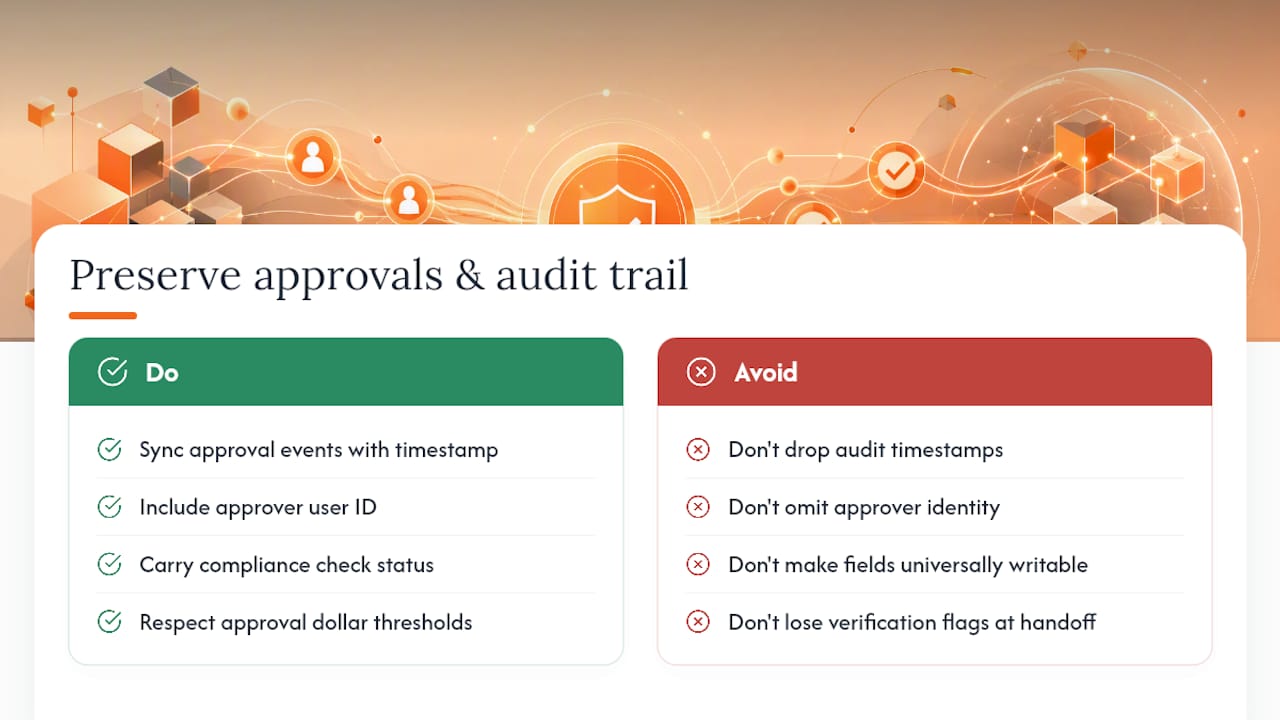
Every approval event, a sign-off on a change order, a compliance checklist item marked complete, needs to write into the destination system with a timestamp and a user ID attached, not just the final result. If your PM tool only shows “approved” with no record of who clicked it or when, you’ve lost the audit trail the moment the data crossed systems.
Compliance checks deserve the same treatment. If your bid process flags missing insurance certificates or unsigned addenda before submission, that verification status should travel with the bid into the project record, not get dropped at the handoff. This is where a rigid approval hierarchy matters: define who can approve what dollar threshold before you build the sync, then make sure the integration respects those same limits rather than treating every field as equally writable.
The practical test is simple. Pick a change order that went through your approval chain last month and try to reconstruct its full history in your PM system, who requested it, who approved it, when, and at what amount. If you can’t rebuild that timeline from the destination system alone, your integration is moving data without moving accountability. That gap tends to surface at the worst possible time: during a dispute, an audit, or a client challenge on a change order months after the fact.
Security Considerations for Data Integration in Project Management Systems
Bid and cost data is sensitive. Vendor pricing, margin assumptions, and client budgets moving between systems create exposure points that didn’t exist when everything lived in one spreadsheet on one laptop.
Start with access control at the field level, not just the account level. A field estimator might need to see vendor quotes but shouldn’t have write access to approved budgets. Your integration should respect the same permission boundaries your PM software already enforces, not create a backdoor that bypasses them.
Encrypt data in transit between systems, and confirm your middleware or API connection uses current authentication standards rather than static API keys with no expiration. Static credentials that never rotate are one of the more common weak points in construction tech stacks, mostly because nobody remembers they exist until something goes wrong.
Ask any vendor, whether it’s your estimating software, your PM platform, or the middleware connecting them, exactly where data sits during a sync and how long logs are retained. If a vendor can’t answer that clearly in a sales conversation, treat it as a signal to dig deeper before you connect live project data.
Impact of Integration on Team Collaboration and Communication Workflows
When bid data flows automatically into your PM system, the ripple effect on how your team communicates is bigger than most people expect going in.
Estimators stop fielding the same status question five times a week. Once a project manager can see the winning bid, the vendor quotes behind it, and the approval history in one place, they stop pinging the estimator for context that’s already sitting in a spreadsheet somewhere. That alone can reclaim hours per week for a busy estimator juggling multiple bids.
Field teams benefit too. When approvals and compliance checks are visible in the same system foremen already check for schedules and drawings, fewer decisions stall waiting on someone to forward an email. The flip side deserves honesty: integration can create a false sense of completeness if people assume “it’s in the system” means “everyone saw it.” Pair any new integration with a short habit change, like a five-minute daily stand-up that references the shared budget screen, so the data actually changes behavior instead of just sitting there unread.

Best Practices for Maintaining and Updating Integrations Over Time
An integration you set up once and never touch again will eventually break, usually right when you can least afford it.
Review your data map every quarter, especially after any software update on either side of the connection. Vendors change field names and add required fields without much warning, and a sync that ran fine for six months can silently fail the week after an update ships.
Assign integration ownership to one specific person rather than leaving it to “whoever notices.” That person should own the weekly health check, the quarterly data map review, and the decision on when to add a new trigger. Keep a simple changelog, even a single spreadsheet tab, noting what changed and when, so troubleshooting six months from now doesn’t start from zero.
Before adding any new automated flow, retest the existing ones. New triggers can interact with old ones in ways that aren’t obvious until a record hits both conditions at once.
ArosBid Team Perspective: What to Do Next
Our recommendation: before you evaluate any tool, build the one-page data map for your single most common bid type and run one live test of “bid won → project and budget.” That exercise alone surfaces most of the integration risk you’ll ever face.
We’re glad to review a reader’s data map or walk through a guided demo against your actual field list.
— arosbid team
How to Evaluate ArosBid and Book a Live Demo
Some platforms aim to be an alternative to rebuilding your estimate-to-project workflow by hand. Unlike spreadsheets or native-only connectors that leave you re-keying vendor quotes and chasing approval sign-offs across multiple tools, command centers aim to keep the bid, the compliance checks, and the approval trail together from the start.
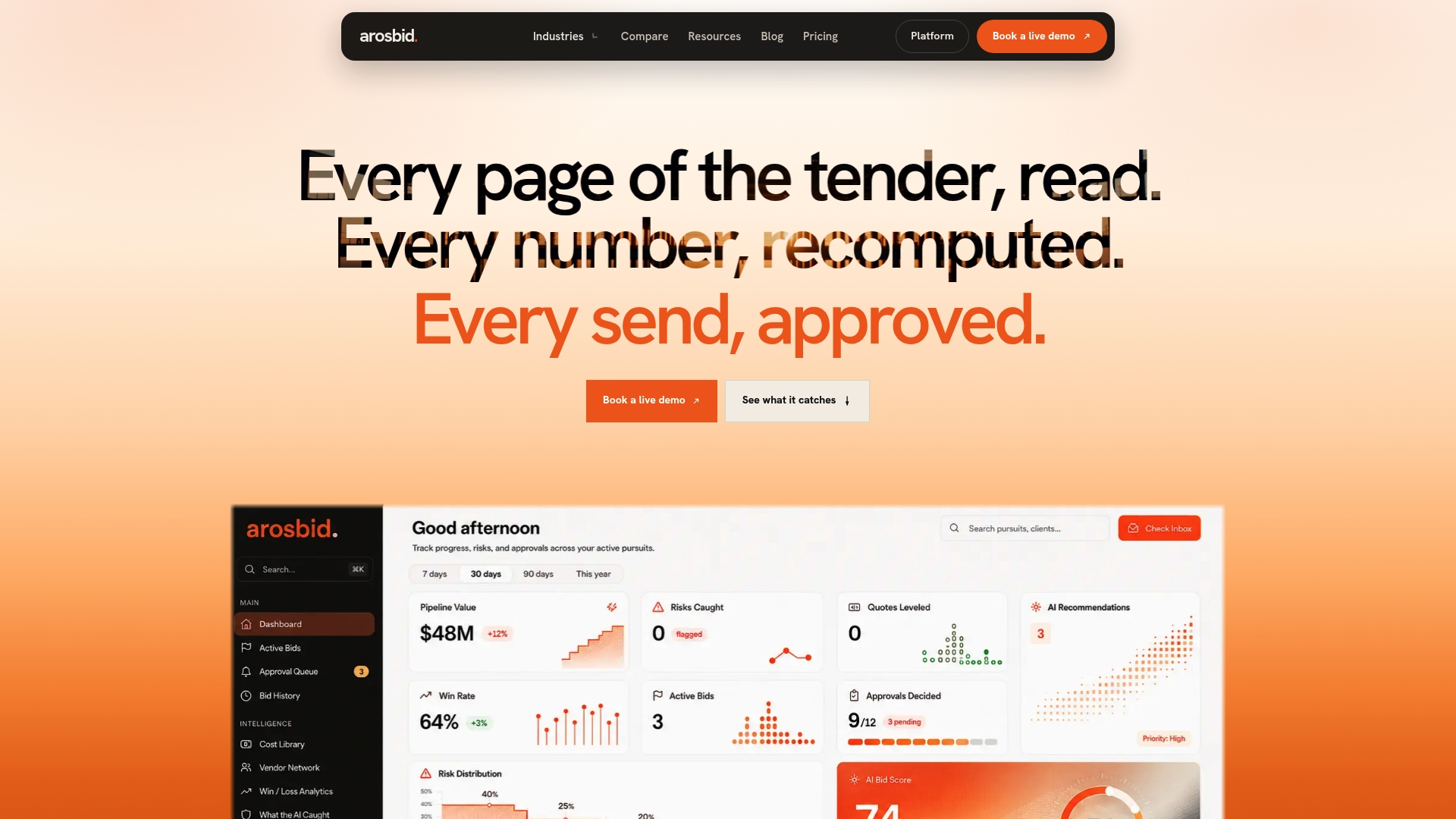
A useful demo covers four things: whether the connector maps fields without a developer, how quickly a “bid won” record converts into a project budget, whether the approval hierarchy shows up as an audit trail rather than a single status flag, and whether your estimators can keep working inside Excel and Outlook while the sync runs in the background. Bring your lead estimator and whoever owns your PM system’s setup, since both will spot different gaps.
Explore how ArosBid handles trade-specific bid workflows across MEP, roofing, and steel, or go straight to booking a live demo and bring your own bid data to test the “bid won → project and budget” flow firsthand.