Cut Days to Hours: Construction Bid Tabulation Template for Estimators
Cut Days to Hours: Construction Bid Tabulation Template for Estimators ! Construction bid tabulation title card A bid tabulation is the standardized spreadsheet or tool you use to line up every bidder's numbers, scope, and qualifications side by side for an apples-to-apples comparison.
A bid tabulation is the standardized spreadsheet or tool you use to line up every bidder’s numbers, scope, and qualifications side by side for an apples-to-apples comparison. The immediate action once bids land: level them against a common scope, verify each submission is responsive, and only then score price against qualifications. Skip leveling and you’re comparing five different projects, not five prices for the same one.
TL;DR:
- Accurate bid leveling is crucial to prevent comparing different scopes; without it, the lowest bid may reflect scope exclusions rather than true price.
- Adjustments should be approved and logged by a procurement lead to avoid unilateral modifications that could invalidate the evaluation.
- Automated software tools can significantly reduce time spent on leveling, arithmetic checks, and addenda tracking, improving efficiency and accuracy.
- Small errors such as overlooked addenda, omitted line items, or inconsistent alternate assumptions often cause bid disputes or misjudgments.
- Large project timelines for bid tabulation can extend to several weeks, especially with multiple packages, but automation shortens normalization to hours.
Table of Contents
- What Bid Tabulation Means in Construction Procurement
- How Do You Tabulate Bids Step by Step?
- Bid Leveling vs. Bid Tabulation: What’s the Difference?
- Essential Bid Tab Columns and a Reusable Template
- Common Bid Tabulation Mistakes and Red Flags to Catch
- How Automation Speeds Up Bid Tabulation
- How Long Does Bid Tabulation Take?
- What Actually Separates a Clean Award From a Disputed One
- How ArosBid Fits Into Your Bid Tabulation Workflow
- Where to Go for Primary Procurement Guidance
- Sources
- FAQ
What Bid Tabulation Means in Construction Procurement
A bid tab exists to create transparency and a defensible audit trail. When an owner, general contractor, or subcontractor receives multiple bids on the same scope, raw numbers alone tell you almost nothing, because bidders rarely price identical inclusions, exclusions, and assumptions. The tabulation forces those differences into the open before a dollar changes hands.
The standard layout puts bidders as columns and scope items as rows, so a reviewer can scan across a single line item and see how every contractor priced it. Most tabs include these core components:
- Base bid amount for each bidder
- Alternates and unit prices broken out separately
- Allowances, exclusions, and stated assumptions
- Qualifications, exceptions, and addenda acknowledgments
- A final leveled price and ranking column
Owners typically build tabs to defend an award decision to a board or auditor. General contractors build them to select subcontractors fast without losing the paper trail if a bid gets challenged later. Either way, the tab is the record that shows the decision wasn’t arbitrary.
How Do You Tabulate Bids Step by Step?
Autodesk frames bid analysis in four stages, and that sequence holds up well in practice: preliminary checks, technical evaluation, price evaluation, and post-qualification. Here’s how each stage plays out on a real bid tab.
- Preliminary responsiveness checks. Confirm every bidder submitted the required forms, bid bonds, and signed addenda acknowledgments before you spend a minute on pricing. A bid missing a required bond or an unsigned addendum is often disqualified outright under public procurement rules, which is exactly how FAR Part 14 governs sealed bidding on federal work.
- Technical review. Read each proposal for scope deviations, missing line items, and qualifying language. A bidder who writes “excludes rock excavation” in a footnote just changed their real price, even if the number on the form looks lowest.
- Financial normalization. Check arithmetic on every extension, convert allowances to comparable figures, and flag currency or unit mismatches. This is where most low bids quietly turn into mid-pack bids once errors get corrected.
- Post-qualification due diligence. Once you’ve ranked bidders, verify the top choice’s licensing, bonding capacity, references, and current workload before you commit. A great number from a contractor who’s overextended on three other jobs is not actually a great bid.
Pro Tip: Build your arithmetic check into the tab itself with a formula that flags any extension the bidder’s own total doesn’t match. Manual math checks are where errors hide longest.
Bid Leveling vs. Bid Tabulation: What’s the Difference?
Tabulation organizes the data. Leveling adjusts it so every bidder is being compared against the same scope, not their own interpretation of it. Skip leveling and your “lowest bid” might just be the bidder who excluded the most.
Common leveling adjustments include:
- Adding a price for scope a bidder omitted, using the average or a reasonable market estimate
- Converting a lump-sum allowance into the unit-price basis other bidders used
- Correcting extension errors so the total reflects the bidder’s actual unit prices
- Backing out unrequested items a bidder added on their own initiative
Leveling adjustments should never be made unilaterally by one estimator. A procurement lead or evaluation committee should approve each adjustment, and the tab should log the original number, the adjusted number, and the reason. That log is what protects the award if a losing bidder challenges the result.
Essential Bid Tab Columns and a Reusable Template
Procore’s guidance on comparing bids lists the core fields every tab needs, and building a bid tabulation around those must-have columns saves you from reinventing the wheel on every project. At minimum, structure your tab with:
- Bidder name and contact
- Base bid amount
- Alternates (itemized, not lumped)
- Unit prices for quantity-based line items
- Allowances and what they cover
- Bonds and insurance confirmation
- Qualifications, exceptions, and exclusions
- Addenda acknowledgment (yes/no per addendum issued)
- Final leveled price
- Rank
Depending on the project, add optional fields: detailed unit-price breakdowns for civil and utility work, warranty terms for roofing or mechanical systems, and proposed schedule days for anything with liquidated damages tied to completion. Structure your rows by CSI division or bid package rather than by bidder, since that’s what lets you scan horizontally across contractors for each scope item. On a multi-trade project, keep separate tabs per package rather than one massive sheet trying to cover steel, mechanical, and roofing at once.
Common Bid Tabulation Mistakes and Red Flags to Catch
The errors that sink award decisions are rarely dramatic. They’re small and compounding: a missed addendum, a wrong extension, an alternate priced inconsistently against the base bid.
- Arithmetic errors. Unit price times quantity doesn’t match the line total. Catch this before it becomes a change order fight.
- Missing addenda acknowledgment. A bidder who didn’t acknowledge a scope-changing addendum may have priced the wrong job entirely, and under most public procurement rules that’s grounds for disqualification.
- Omitted line items. Silence on a scope item usually means it’s excluded, not included for free.
- Inconsistent alternates. If Alternate 2 assumes different quantities than the base bid, your comparison is comparing two different projects.
Watch for red flags beyond the math: a bid that’s 15% or more below the field average often means missed scope, not efficiency. Missing bonds, vague qualifications, or a subcontractor list that changes between bid day and contract signing all warrant a second look.
- Confirm every required form and signature is present.
- Confirm addenda were acknowledged and priced.
- Confirm the leveled price reflects verified arithmetic.
- Confirm the top bidder passes post-qualification review.
Pro Tip: Keep a running “bid spread” column showing each bid’s percentage variance from the median. A wide spread on a specific line item almost always points to a scope misunderstanding, not a pricing disagreement.
How Automation Speeds Up Bid Tabulation
Manual tabulation eats hours that estimators rarely have to spare, and it’s exactly the kind of repetitive, error-prone work automation handles well. Software can now tackle several of the tasks that used to consume a full day per bid package:
- Cross-referencing addenda acknowledgments against issued addenda automatically
- Leveling vendor quotes against a common scope template
- Flagging arithmetic errors and extension mismatches instantly
- Auto-populating tab columns from submitted quote documents
The realistic limit is that automation still needs human judgment for qualitative calls, like weighing a contractor’s exceptions or assessing bonding capacity. Good tools integrate with what estimators already use rather than replacing it. arosbid’s AI-driven bid leveling works inside Excel and Outlook, which matters because most estimating teams aren’t going to rebuild their entire workflow around a new platform. The vendor quote tracking function inside arosbid’s trade bid command center is built around catching the same missed clauses and conflicting specs that cause disqualification. As ConstructionBids.ai notes, a tabulation sheet doubles as market feedback: tracking bid spread and unit prices over time sharpens your own estimating on the next job, and automated tools make that historical tracking far less tedious to maintain.
How Long Does Bid Tabulation Take?
Timeline scales with project size and bidder count, and a few variables stretch it further than teams expect: incomplete submissions, unclear scope in the original ITB, and slow post-qualification reference checks.
- Small projects (single trade, 3 to 5 bidders): typically a few days from bid opening to recommendation.
- Medium projects (multi-package, 5 to 10 bidders per package): usually 1 to 2 weeks.
- Large or multiphase projects: can run several weeks, especially with public procurement notice periods layered on top.
A typical team splits the work: a bid coordinator manages intake and responsiveness checks, an estimator handles price normalization, a technical reviewer flags scope deviations, a procurement lead owns final approval of leveling adjustments, and legal weighs in on bonding or compliance questions. Templates and automated leveling routinely cut the price-normalization phase from days to hours, which is usually the biggest single time sink in the whole process.
What Actually Separates a Clean Award From a Disputed One
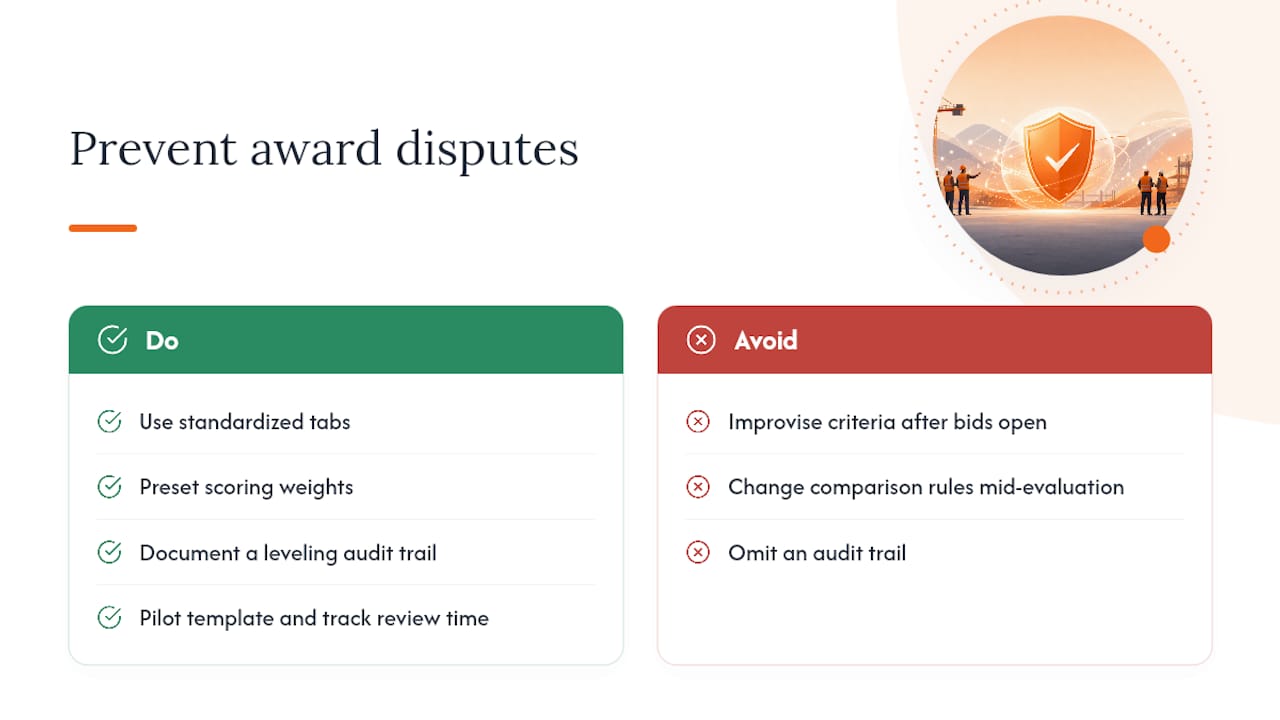
Standardized tabs, pre-set scoring weights, and a documented leveling trail aren’t bureaucratic overhead. They’re the difference between an award that survives a protest and one that doesn’t. The teams that get burned are almost always the ones improvising their comparison criteria after bids are already open, which is precisely the bias the ADB’s procurement guidance warns against.
Pilot a single standardized template with a built in audit trail on your next bid package. Track how much review time it saves before you decide whether it’s worth rolling out further.
— arosbid team
How ArosBid Fits Into Your Bid Tabulation Workflow
If you’re still stitching together tabs by hand, the payoff isn’t a new system to learn. It’s getting the manual leveling, addenda cross-checks, and arithmetic verification off your desk without changing how your team already works. arosbid automates the leveling adjustments and addenda tracking covered above, so a tab that used to take a full day of cross-checking gets built and verified in a fraction of that time.
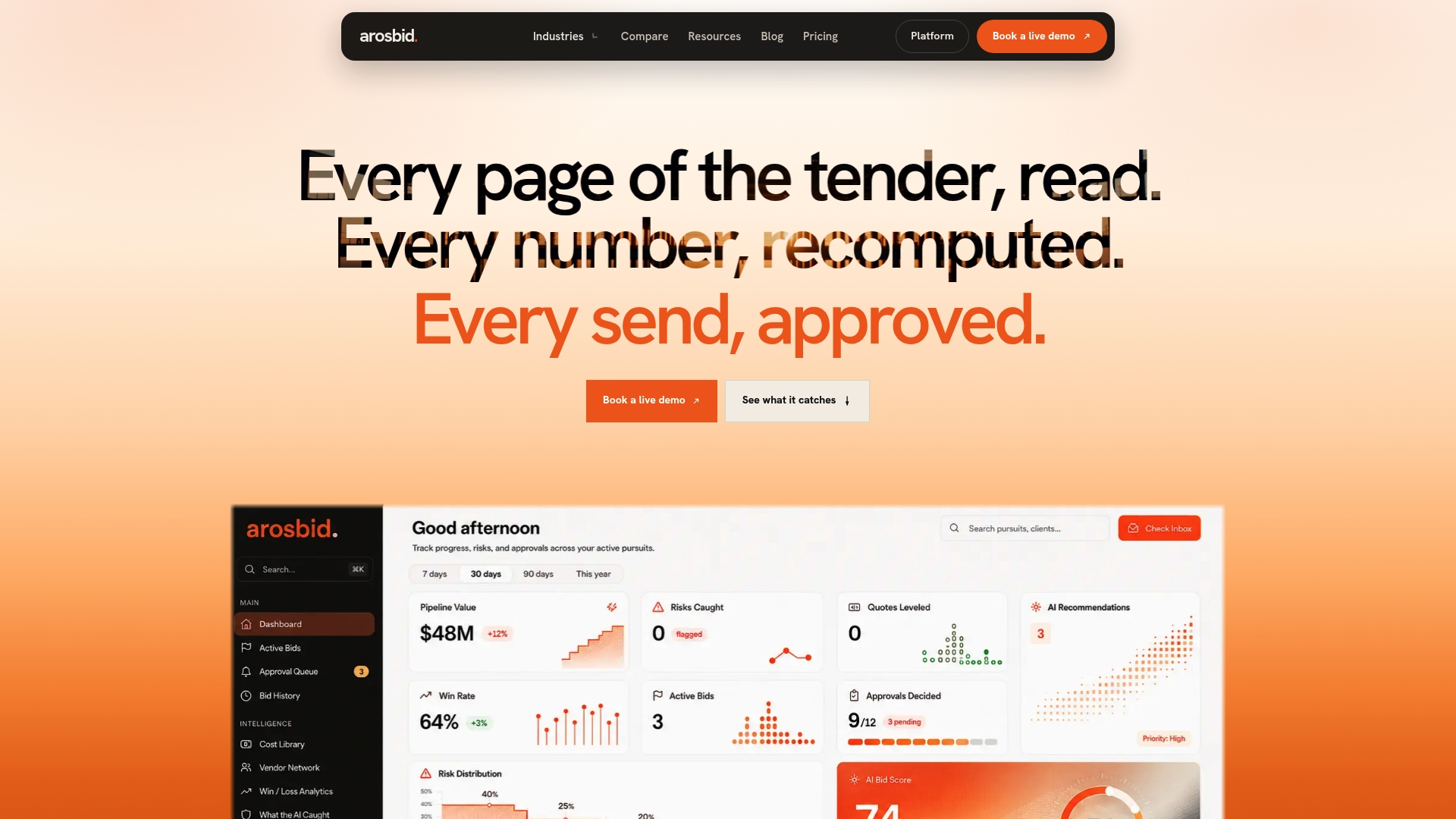
The platform layers onto Excel and Outlook rather than asking your estimators to abandon either one, and it connects with the takeoff and project management tools most trade contractors already run. Whether you’re managing structural steel packages or mechanical bids across a dozen subcontractors, the command center tracks vendor quotes and flags missed addenda before they turn into a disqualified bid. If you want to see how it handles a real bid package, book a live demo and bring your next tab.
Where to Go for Primary Procurement Guidance
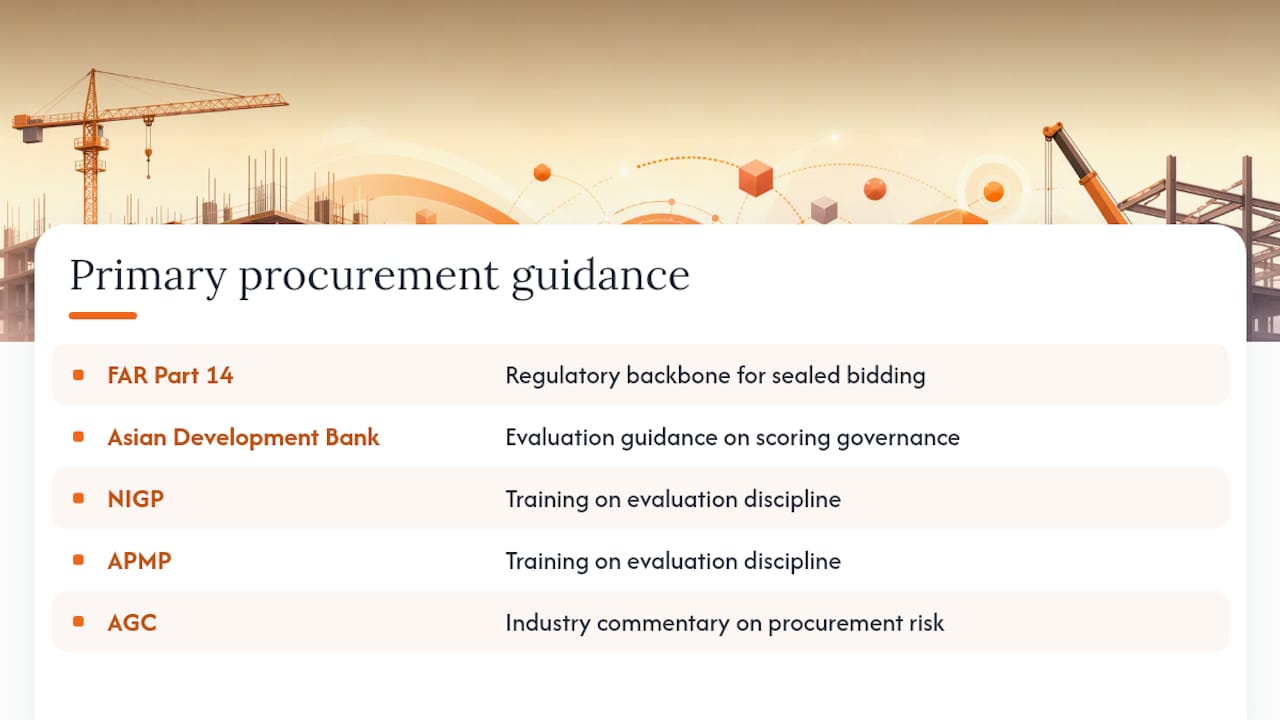
For the regulatory backbone of sealed bidding, FAR Part 14 is the primary federal reference. The Asian Development Bank’s evaluation guidance covers scoring governance in detail. NIGP and APMP both offer training on evaluation discipline, and AGC publishes ongoing industry commentary on construction procurement risk.
Sources
- Bid evaluation: Procurement guidance note (Asian Development Bank)
- Federal Acquisition Regulation (FAR) Part 14 — Sealed Bidding
- Bid analysis explained (Autodesk / Digital Builder)
FAQ
What Is a Bid Tab in Construction?
A bid tab is a spreadsheet or software view that lines up every bidder’s price, alternates, and qualifications against the same scope so evaluators can compare them fairly and document the award decision.
What Is the Best Bidding Software for Construction?
The right choice depends on trade and workflow, but teams looking to automate leveling, addenda tracking, and vendor quote comparison without abandoning Excel or Outlook should look at a platform like arosbid.
What Are the 5 Steps in the Bidding Process?
Most procurement teams follow: solicitation and advertisement, bid submission, preliminary responsiveness checks, technical and price evaluation, and award with post-qualification due diligence on the winning bidder.
What Is a Bid Sheet in Construction?
A bid sheet is the form a contractor fills out to submit pricing for a specific scope, including base bid, alternates, and unit prices, which then feeds directly into the owner’s bid tabulation.
Why Does Bid Leveling Matter If I Already Have a Tabulation?
Tabulation just organizes submitted numbers. Leveling adjusts those numbers so every bidder is priced against identical scope, which is what actually makes the comparison fair.