40,000 Items: Construction Cost Database Checklist for Estimators
40,000 Items: Construction Cost Database Checklist for Estimators ! Construction cost database checklist title card A construction cost database is a structured library of unit prices, assemblies, and cost indices that estimators use to price work quickly and defend those numbers later.
A construction cost database is a structured library of unit prices, assemblies, and cost indices that estimators use to price work quickly and defend those numbers later. It matters most at bid time and during conceptual budgeting. Use a commercial database for defensible, regularly updated pricing, and pair it with your own project history for the local quirks no vendor dataset will ever capture.
TL;DR:
- A comprehensive construction cost database should include over 85,000 unit prices, 25,000 assemblies, and be updated regularly to ensure reliability.
- Localization is critical, so always adjust national averages with regional modifiers, city indices, or actual project data for accurate bidding.
- Export formats like APIs and Bacpac are essential for seamless integration into estimating workflows and reducing manual data entry errors.
- Relying on internal project history alongside vendor data improves bid accuracy, especially for scope-specific or site-specific conditions.
- Using a bid-management platform that interfaces with your cost database helps catch errors and streamlines approval, reducing disqualifications and margin losses.
Table of Contents
- What a Construction Cost Database Contains and Why It Matters
- Core Features and Data Scope Professional Estimators Expect
- Geographic Coverage and Localization: National Averages vs. Local Adjustments
- Formats, Delivery, and Integrations for Cost Data
- How to Choose the Right Construction Cost Database
- How a Bid-Management Platform Uses Cost Databases to Improve Accuracy
- Where Construction Cost Databases Fall Short
- How Leading Construction Cost Database Providers Compare
- Case Studies: Construction Cost Databases in Real Projects
- Construction Cost Databases for Estimators: What to Prioritize
- ArosBid: Turning Cost Data Into Bid-Ready Accuracy
- Sources
What a Construction Cost Database Contains and Why It Matters
Every serious construction cost database is built on two layers: individual unit prices and assemblies that bundle those units into buildable components. A unit price tells you what a linear foot of conduit or a cubic yard of concrete costs. An assembly bundles the labor, material, and equipment needed to install a wall system or a rooftop unit, so you’re not rebuilding the math from scratch on every job.
Estimators lean on this structure differently depending on project stage. Early in preconstruction, a square-foot or conceptual model gets you a workable budget range in an afternoon. Once drawings firm up, detailed line items replace those rough numbers with defensible, auditable pricing.
The breakdown matters as much as the total:
- Labor costs shift with local wage rates and crew productivity, so a national average is only a starting point.
- Material costs move with market volatility, tariffs, and supplier availability.
- Equipment costs depend on rental duration, mobilization, and regional availability.
Separating these three components lets you explain a bid to an owner or GC when they ask why your number differs from a competitor’s, instead of just pointing at a lump sum.
Core Features and Data Scope Professional Estimators Expect
Depth is the differentiator between a database you can bid confidently on and one that leaves gaps you discover during buyout. Look for vendors who publish their actual item counts rather than vague claims of “extensive coverage.”
Statistic to watch: one widely cited industry example, RSMeans’ 2026 cost index, lists more than 85,000 unit prices, 25,000 building assemblies, and 42,000 repair and remodel costs, backed by upward of 30,000 research hours a year. That scale of ongoing data maintenance is what separates a living database from a static spreadsheet someone built once and forgot to update.
Beyond the core library, mature databases usually offer:
- Specialized modules for green building, MEP systems, civil work, and renovation, since a generic unit price rarely fits a LEED-certified curtain wall or a historic renovation scope, a pattern reflected across RSMeans’ package lineup.
- Cost indices like the CCI, MCI, and BCI that track material and labor inflation over time.
- City-level price tables for comparing markets, which matters when you’re bidding work outside your home region.
The ENR Cost Data Dashboard tracks material prices across 20 U.S. cities and publishes those same CCI, MCI, and BCI indices, giving estimators a quick reference for how fast costs are climbing in a specific metro versus the national trend. If a database can’t show you that kind of trend line, you’re flying blind on inflation adjustments.
Geographic Coverage and Localization: National Averages vs. Local Adjustments
A national average price is a starting point, not a bid number. Labor rates in Manhattan and rural Montana can differ by more than double, and material freight costs alone can swing a line item significantly depending on distance from a supplier hub. Any estimator who copies a national unit price straight into a bid without adjusting for location is taking on risk they probably don’t realize they’re taking.
Global datasets solve part of this by baking localization into the data itself. Compass International’s global construction costs database covers 101 countries and includes local labor rates, material costs, import duties, and taxes, which matters enormously for teams bidding cross-border work where duty structures alone can move a budget by double digits.
For domestic work, the localization job usually falls on you. Before you trust a number:
- Apply the vendor’s local modifier or city cost index to the base national price.
- Confirm productivity adjustments for crew size, site access, and union versus open-shop labor.
- Check whether the dataset already includes local taxes and duties, or whether those get added separately.
Skipping any of these steps is how a technically correct database entry turns into a bid that loses money the day the crew shows up.
Formats, Delivery, and Integrations for Cost Data
How a database gets the data to you matters almost as much as what’s in it. A cost book you can only read as a PDF is fine for a quick sanity check, but it’s useless for automated takeoff or repeatable benchmarking.
The formats worth asking about, in order of how much manual work they save you:
- API access. Autodesk’s guidance on construction ERP integrations points to API and Bacpac/SQL exports as the preferred formats over static PDFs, because they let cost data flow directly into your ERP or estimating platform without anyone retyping numbers.
- Bacpac or SQL exports. These let your IT team ingest the full dataset into an internal database, which matters if you want to blend vendor pricing with your own historical actuals.
- Excel exports. Still the most common format for smaller teams, and often the fastest path to a usable spreadsheet takeoff.
Developer-friendly vendors are pushing this further. Buildcalculator publishes a pricing API exposing 55,719 work items, which shows how far programmatic access has come for teams that want to run their own reporting or Monte Carlo risk analysis instead of relying on a vendor’s built-in tools.
Before you sign a license, ask for sandbox access, confirm how often the data refreshes automatically, and get a sample export so your IT team can test field mapping before committing.
How to Choose the Right Construction Cost Database
Picking a database isn’t about finding the biggest item count. It’s about finding the one that matches how your team actually estimates. Run any candidate through five checks before you commit budget to a subscription.
- Coverage fit. Does it cover your building types and trades in depth, or just broadly? A generalist dataset with thin MEP coverage won’t help a mechanical estimator.
- Freshness and methodology. Ask how often prices refresh and how the vendor researches them. A dataset updated quarterly with documented research hours is worth more than one updated “as needed.”
- Format compatibility. Confirm the export formats (API, Bacpac, Excel) match what your estimating software can actually ingest.
- Provenance and audit trail. You need to trace a line item back to its source when an owner questions your number. InEight’s estimating platform overview highlights this as a best practice: benchmark against historical project data and keep a visible audit trail for every line item.
- Licensing model. Per-seat, site license, or API call volume all change your total cost of ownership differently depending on team size.
Pro Tip: Don’t evaluate a database in isolation. Pull three recent bids you already priced manually and re-run them against the vendor’s data. If the numbers land within a reasonable range of what you know the market actually paid, you’ve found a dataset worth trusting.
How a Bid-Management Platform Uses Cost Databases to Improve Accuracy
A cost database gives you the number. It doesn’t stop you from missing an item, mispricing a scope change, or submitting a bid with a stale vendor quote baked in. That gap between “we have good data” and “we submitted an accurate bid” is where most disqualifications and margin losses actually happen.
This is where a platform like arosbid fits alongside your cost database rather than replacing it. Linking cost data directly into a structured bid workflow catches the errors that happen between pricing and submission, not just the pricing itself. In practice, that looks like:
- Importing cost data straight from Excel so estimators aren’t retyping unit prices into a new interface.
- Pulling API-sourced pricing into a live takeoff without breaking the flow between estimating and bid assembly.
- Leveling vendor quotes side by side so a missed price or a scope exclusion surfaces before submission, not after.
- Building a historical cost library from your own past bids, so next quarter’s estimate starts from your actual results, not just a vendor’s national average.
The database answers “what should this cost.” A structured workflow answers “did we account for everything, and can we prove it.” Estimators who treat those as one connected system, rather than two separate tools, submit fewer disqualified bids.
Where Construction Cost Databases Fall Short
No database, however deep its item library, replaces judgment on the ground. The most common failure point is stale data. Material prices, especially for anything petroleum-based or metal-heavy, can move faster than a quarterly refresh cycle, leaving your bid built on a number that was accurate two months ago and wrong today.
Geographic granularity is another recurring gap. A city-level index helps, but it can’t capture the difference between a downtown high-rise job with tight logistics and a suburban build twenty minutes away with easy laydown space. Databases price the “typical” job in a region; your actual job is rarely typical.
Assemblies also carry hidden assumptions. A wall assembly priced at a certain productivity rate assumes a certain crew size and a certain site condition. If your crew works slower because of access restrictions, phasing, or union rules the assembly didn’t anticipate, the number quietly drifts from reality.
Then there’s the integration gap. A database with rich data but no API or Bacpac export forces manual re-entry, and manual re-entry is where transposition errors and missed line items creep into otherwise solid estimates. Even well-designed data is only as useful as the workflow that gets it into your bid.
Finally, no vendor dataset knows your subcontractor relationships, your crew’s actual productivity, or the fact that a particular supplier quoted you 8% under market last month. That knowledge only lives in your own project history, which is exactly why blending vendor data with internal actuals consistently outperforms either source alone.
How Leading Construction Cost Database Providers Compare
Providers in this space tend to split into three rough categories rather than one apples-to-apples list. Understanding which category you need matters more than comparing brand names.
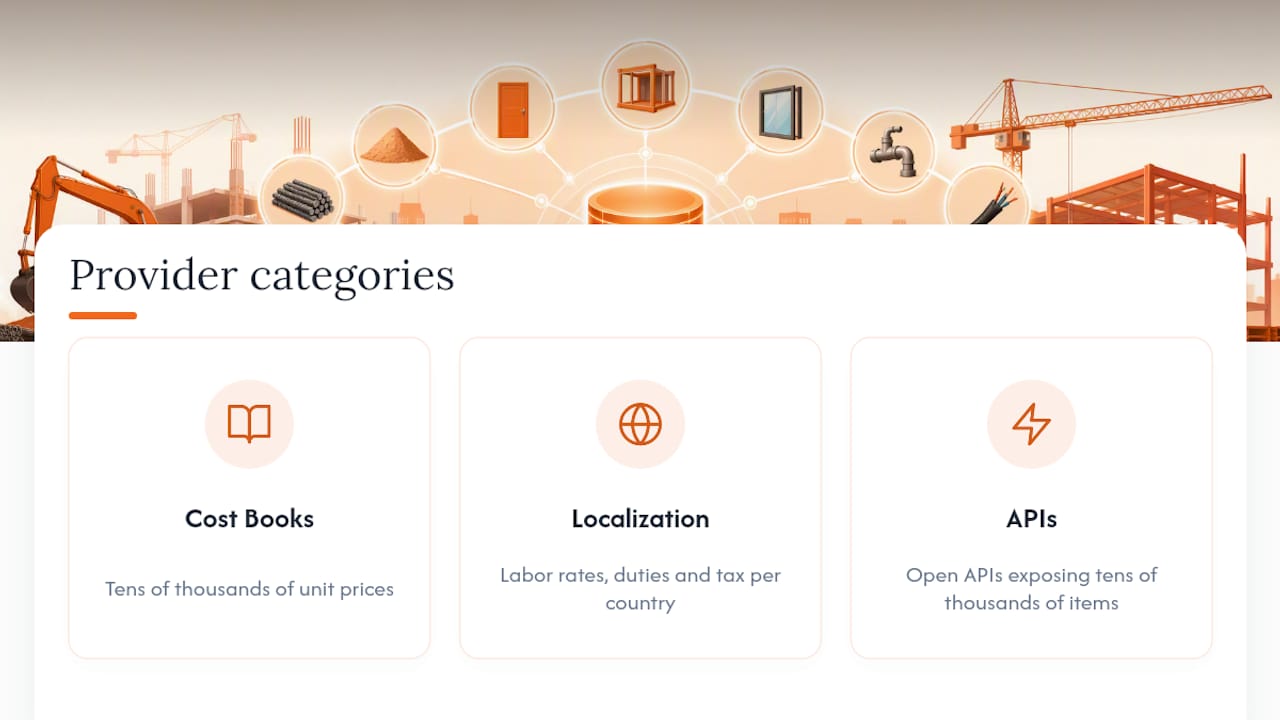
Large, established cost book publishers focus on breadth: tens of thousands of unit prices and assemblies, refreshed on a research-heavy cycle, often bundled with specialized modules for civil, green building, or renovation work. These fit teams that need one trusted number for almost any building type and are willing to pay for that breadth.
Global and regional specialists focus on localization depth over sheer volume, covering dozens of countries with labor rates, duties, and tax fields baked in. These fit teams bidding cross-border or multinational work where a domestic-only database simply has no data to offer.
Developer-friendly API providers focus on programmatic access, publishing tens of thousands of line items through open APIs that smaller teams can query directly, often at a lower cost of entry than an enterprise license. These fit teams building their own estimating tools or running custom reporting rather than working inside a vendor’s native interface.
Delivery format is the practical differentiator once you’ve picked a category. Some publishers, as detailed in Craftsman’s data licensing documentation, offer Bacpac, Excel, Access, API, and PDF formats side by side, letting a single organization mix formats across departments: API access for the estimating team, Excel exports for a smaller field office. That flexibility often matters more day to day than which provider has the largest raw item count.
Case Studies: Construction Cost Databases in Real Projects
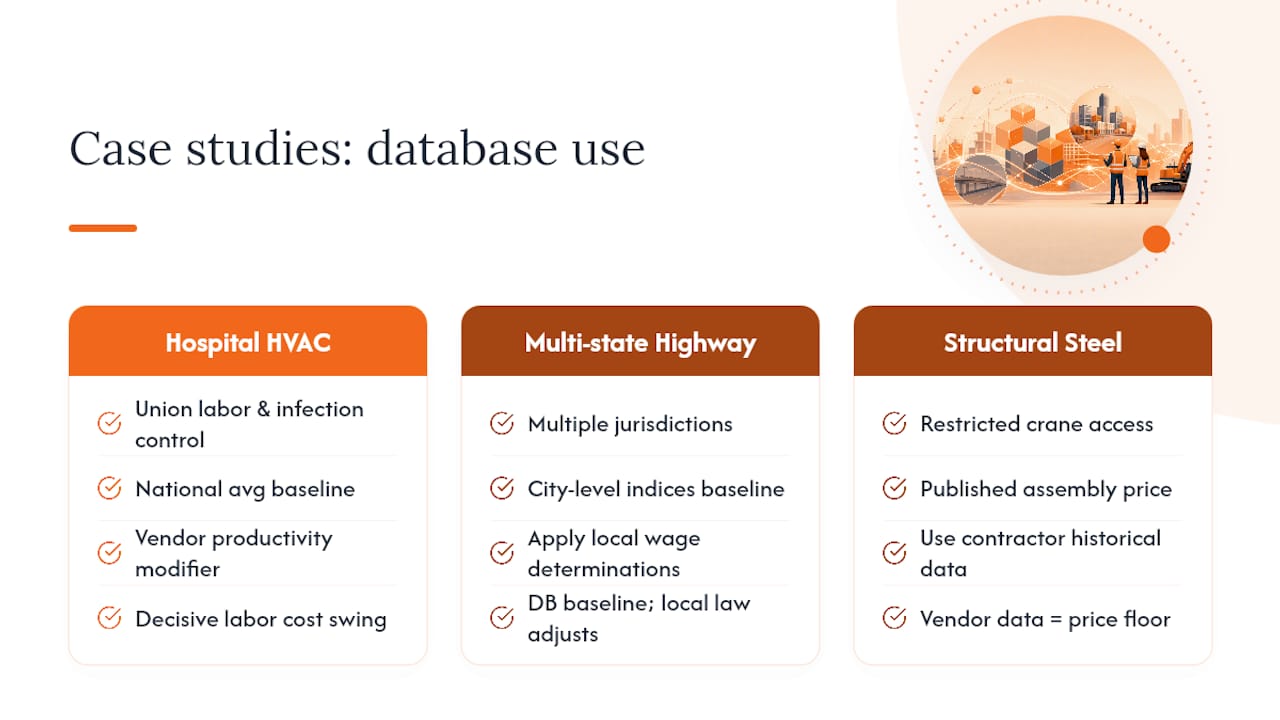
A mechanical contractor bidding a hospital renovation illustrates the localization problem well. National average pricing for HVAC ductwork installation looked reasonable on paper, but the job required union labor, tight infection-control protocols, and after-hours-only work in occupied patient wings. Applying the vendor’s productivity modifier for restricted-access healthcare work, rather than the standard commercial rate, changed the labor line by a wide enough margin to determine whether the bid was competitive or a loss leader.
A civil contractor pricing a multi-state highway project shows the other side: needing consistent data across jurisdictions. Rather than sourcing separate regional cost guides for each state, the team used a single database with city-level indices to normalize pricing, then applied local wage determinations on top. The database handled the baseline; local labor law handled the adjustment.
A structural steel subcontractor offers a case for blending vendor data with internal history. The published assembly price for structural steel erection assumed standard crane access. On a downtown site with a single narrow access point, the contractor’s own historical data from a similar prior job, not the vendor assembly, ended up driving the final labor number. That’s the exact pattern InEight’s estimating guidance points to: benchmark against your own history rather than trusting an assembly’s built-in assumptions blind. Teams estimating structural steel scopes run into this exact gap regularly, which is why the strongest bids treat vendor data as a floor, not a finish line.
Construction Cost Databases for Estimators: What to Prioritize
The conventional advice on cost databases stops at “get good data and refresh it often.” That’s necessary but nowhere near sufficient. The real gap isn’t data quality anymore. Most established vendors research their numbers seriously and refresh them on a defensible schedule. The gap is what happens to that data after it enters your workflow.
We’d argue the industry has this backwards. Estimators spend enormous effort evaluating item counts and update cadence, then hand that carefully sourced number to a process with no audit trail, no vendor-quote cross-check, and no systematic way to catch a mispriced line before submission. A perfect unit price entered into a bid with a missed exclusion clause loses the job just as fast as a bad price does.
Prioritize integration and provenance over raw coverage. A database with 40,000 items and a clean API you can trace and audit beats one with 85,000 items you have to copy by hand into a spreadsheet with no record of where each number came from. Get the data pipeline right first. The item count matters far less once you have.
— arosbid team
ArosBid: Turning Cost Data Into Bid-Ready Accuracy
A cost database tells you the right number. arosbid makes sure that number actually survives the trip into a submitted bid. It closes the gap between pricing accuracy and bid accuracy: automated review catches missed clauses and conflicting specs, vendor quote leveling flags a mispriced or incomplete quote before it becomes your problem, and a structured approval trail means nothing goes out the door without a second set of eyes on it.
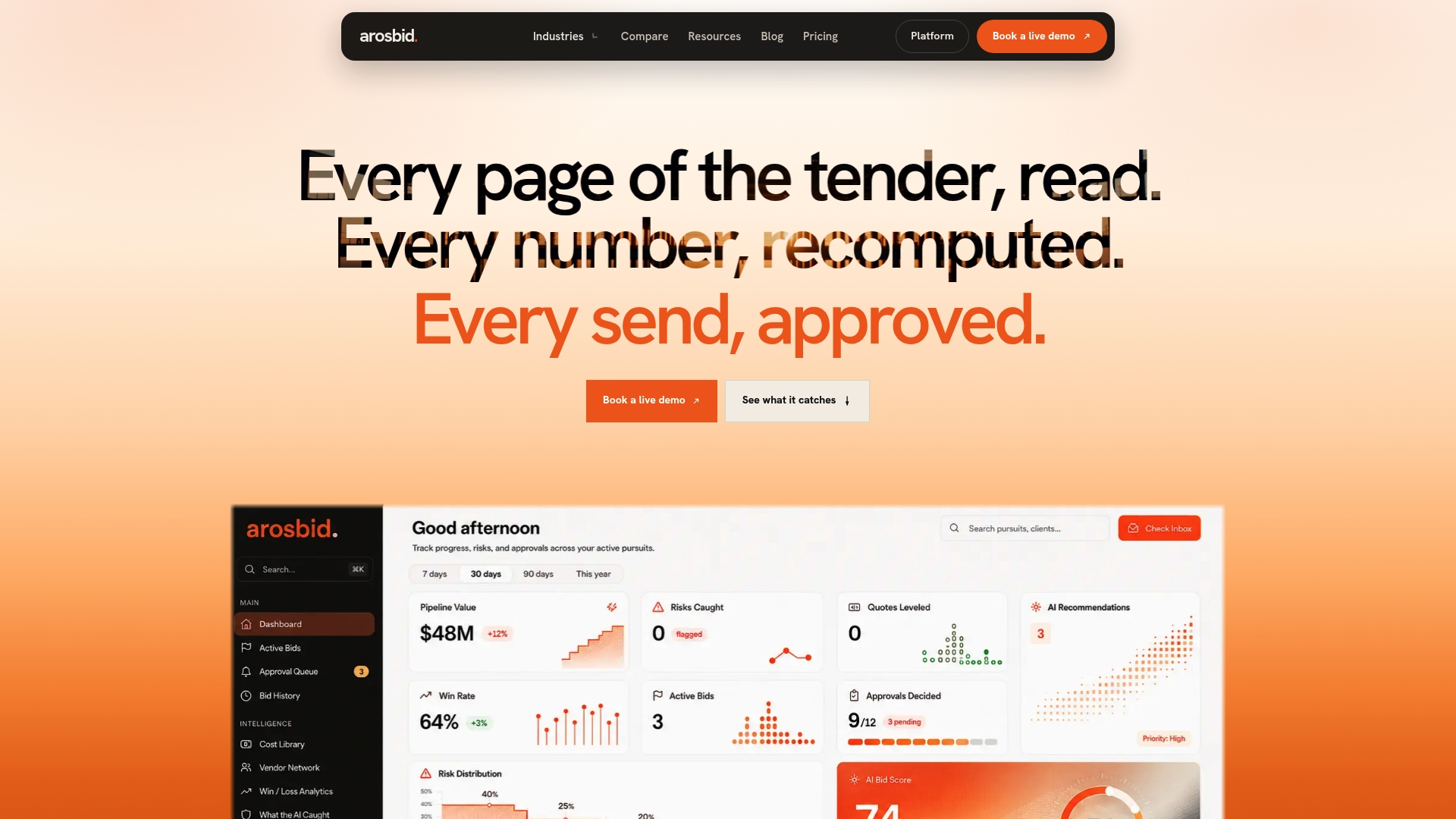
The platform pulls straight from tools your team already uses. Import unit pricing from Excel, track vendor quotes and approvals in one command center, and keep Outlook communication tied to the same bid record instead of scattered across inboxes. Teams in structural steel, mechanical, and electrical trades use it to turn good cost data into fewer disqualified bids and cleaner buyout.
If your estimating team has the pricing right but keeps losing time to compliance errors, missed addenda, or quote leveling done by hand, book a live demo and see the command center on your own bid documents.