Nine Steps to Portal First Digital Bid Submission for Suppliers
Nine Steps to Portal First Digital Bid Submission for Suppliers ! Digital bid submission title card illustration Digital bid submission, also called e-bidding, is the process of sending tender responses through a secure procurement portal rather than paper or email.

Digital bid submission, also called e-bidding, is the process of sending tender responses through a secure procurement portal rather than paper or email. To succeed, register on the issuing portal before the deadline, prepare every required document, run the portal’s validate tool, and submit early enough to receive an on-screen and emailed acknowledgement.
TL;DR:
- Register and verify your account early on the bid portal to avoid delays when the tender opens or closes.
- Use the portal’s validation tool to ensure all required fields and documents are complete before final submission.
- Regularly check for addenda or clarifications on the portal, re-importing revised documents immediately to stay compliant.
- Submit your bid well before the deadline from a stable connection, and keep screenshots of confirmation for dispute resolution.
- Use automated review tools that flag conflicting clauses or missing attachments before upload to reduce rejection risks.
Table of Contents
- What digital bid submission covers and why agencies use it
- How do you submit a bid online, step by step?
- Technical checks that commonly cause rejections
- Managing addenda, clarifications, and Q&A the portal way
- Security, confidentiality, and deadline handling
- Portal features and automation that cut submission errors
- What bidders get wrong, and how to fix it fast
- ArosBid: closing the gaps digital submission exposes
- Key official guides and reports to consult before you bid
- Sources
- FAQ
What digital bid submission covers and why agencies use it
Digital bid submission spans three types of systems: government-run procurement portals, agency-hosted bid sites, and third-party platforms that multiple buyers share. All three replace the physical act of delivering paper to a counter with an online upload, but none of them change the legal rules around how a tender is advertised or how long it stays open. E-bidding is simply submitting tenders, proposals, or quotes through an online system instead of paper, and it increases transparency, improves competition, and cuts administrative costs for both agencies and suppliers.
Agencies have strong reasons to run bids this way. Electronic portals make it far easier to publish clarifications quickly and keep a dated record of who asked what and when.
- Portals centralize documents, addenda, and Q&A in one place instead of scattered emails.
- Electronic timestamps give agencies defensible proof of exactly when a bid arrived.
- Digital records make audits and disputes easier to resolve than paper files.
The tradeoff is that agencies still must preserve sealed-bid integrity and follow the same advertising and notice periods required under paper processes. Moving online does not loosen those obligations, it just changes the mechanism.
How do you submit a bid online, step by step?
The mechanics vary slightly by portal, but the sequence is nearly identical everywhere. Treat registration as step zero: get your vendor account and digital ID confirmed before a tender you want even gets published, so you are not scrambling to set up credentials the week it closes.
- Register and verify your account. Confirm your vendor profile, digital ID, and any required certifications are active on the portal before you need them.
- Download the bid package. Pull every document in the set, note the closing date and time, and flag any addenda already posted.
- Gather supporting documents. Line up licenses, insurance certificates, and bid bonds, since some agencies still expect signed originals even when the bid itself is electronic.
- Answer event questions and enter pricing. Complete every required field and line item the portal presents; blank fields are a common reason bids get flagged.
- Attach your files. Upload documents in the formats the portal accepts, following its naming conventions.
- Run “Validate Entries.” Many city vendor guides describe this exact control, which checks completeness before anything is final.
- Save for later if you are not ready. Draft saving lets you return and finish without losing work.
- Submit before the stated closing time. Do not wait until the final minutes.
- Confirm receipt. Expect an on-screen confirmation and an emailed PDF copy, which is the standard pattern portal guides describe.
Pro Tip: Submit a test upload with a dummy file the week before the deadline so you know the portal works on your network before it actually matters.
Technical checks that commonly cause rejections
Most rejected digital bids fail for mechanical reasons that have nothing to do with price or qualifications. Portals frequently enforce hard validation that blocks corrupted files or unsupported formats at the point of upload, so catching these issues yourself, before the portal does, keeps you from losing time at the worst possible moment.
- Unsupported file types or oversized attachments trigger automatic rejection on many portals.
- Corrupt files, often from an interrupted save or a bad export, fail silently until you try to open them.
- Filenames with special characters or excessive length can break upload scripts on older portal software.
- Missing digital signatures or expired authentication credentials stop a submission from being accepted as valid.
Authentication matters as much as the file itself. Portals increasingly require digital IDs or electronic signatures, and procurement policy guidance is consistent that email is not a secure channel for sealed bids unless it includes additional encryption. Before you upload anything, open every attachment to confirm it renders correctly, double-check filenames against the portal’s rules, and run the validation tool rather than assuming a clean-looking file will pass.
Managing addenda, clarifications, and Q&A the portal way

Clarifications rarely arrive by email anymore. They get posted to the portal’s notice board or Q&A page, and it is the bidder’s job to check for them, not the agency’s job to chase you down. OECD data shows that 93% of surveyed countries now publish bidder clarifications electronically specifically to keep the process fair and reduce the chance of one bidder getting information another did not.
Most portals will not let you finish a submission until outstanding addenda are acknowledged. When an agency issues a change, systems typically require you to acknowledge it and re-import the revised document, and failure to do so often blocks final submission entirely or renders the bid non-responsive.
- Check the portal’s notice or addenda page every time before you touch your pricing sheet.
- Re-import any document an addendum revises, don’t just read the summary.
- Assign one person as the document owner who re-checks the full submission after every addendum lands, a step missed addenda tend to slip through without.
Security, confidentiality, and deadline handling
Sealed-bid rules exist for a reason, and portals are built to enforce them automatically. A proper e-bid lodgement system securely stores submissions, issues an immediate acknowledgement, allows draft saving up to the deadline, and closes automatically at the designated time to prevent anything arriving late. That automatic close is also your proof of timing: the portal’s timestamp, not a clock on your wall, is what decides whether you made it.

Email remains the weak link in most submission processes, which is why it is generally discouraged for sealed bids unless the agency specifies encryption. Treat the upload window the same way you would treat a courthouse filing deadline.
Pro Tip: Submit from a stable, private connection rather than public Wi-Fi, and keep a screenshot of the confirmation screen along with the emailed PDF, both of which can matter if a dispute over timing ever comes up.
Portal features and automation that cut submission errors
Some portal features do more work than others to keep a bid clean. Validate and preview tools catch incomplete fields before submission, draft saving prevents last-minute data loss, two-envelope support separates technical and price proposals where required, and line-item import or export saves hours of manual re-entry.
- Validate and preview tools flag missing fields before you can submit.
- Draft saving protects hours of work from a dropped connection or a closed tab.
- Line-item import and export cuts manual re-entry errors on large pricing schedules.
Outside the portal itself, the bigger error source is usually the document package a supplier assembles before upload. Integrations between estimating tools and everyday software like Excel and Outlook, paired with automated review that flags missed clauses or conflicting specifications, catch problems a manual read-through tends to miss, which is the gap automated tender review is built to close before a bid ever reaches the portal.
What bidders get wrong, and how to fix it fast
The same mistakes repeat across almost every bid cycle: missed addenda, wrong file formats, unsigned bond originals, and validation left until the final minutes. A short pre-submission checklist run 60 to 90 minutes before the deadline, covering addenda, file formats, signatures, and a validation pass, catches most of this. Building that checklist into a standard procedure, rather than relying on memory each time, is what actually prevents repeat failures.
— arosbid team
ArosBid: closing the gaps digital submission exposes
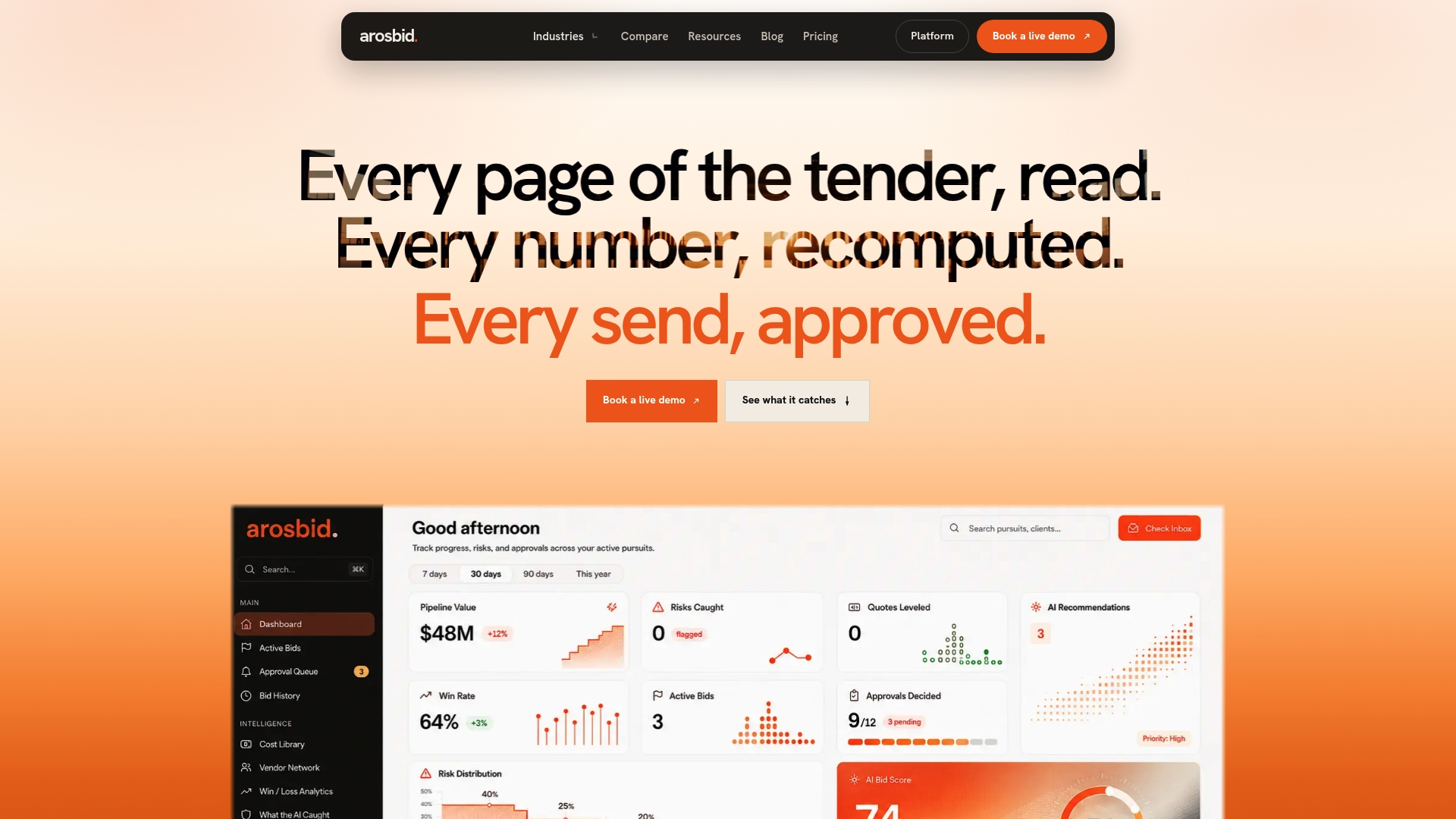
Digital portals catch formatting errors, but they cannot tell you a subcontract clause contradicts your pricing or that a required attachment is missing from the package itself. ArosBid reads the full set of bid documents, including front-end clauses, and flags conflicts and missing items before you ever reach the portal’s upload screen, while tracking vendor quotes and approvals in one place.
- Automated review catches missed clauses and conflicting specifications before submission.
- Native integrations with Excel and Outlook mean no overhaul of your current workflow.
- A structured command center tracks document compliance and bid approvals in one view.
Plans are listed as One Desk, The Department, and The Whole Year, with pricing available on the ArosBid pricing page. If you want to see the workflow before committing, you can book a live demo.
Key official guides and reports to consult before you bid
- MRSC’s e-bidding basics covers definitions, security expectations, and policy fundamentals.
- City of Boston’s vendor guide walks through exact portal screens and buttons.
- OECD’s Costa Rica procurement report documents clarification practices across countries.
- Pressure Works’ tender compliance guide offers a practical compliance checklist format.
Sources
- Electronic Bidding Basics — MRSC
- Public procurement in Costa Rica — OECD (on clarifications and eProcurement adoption)
- Entering a bid online — City of Boston (vendor guide)
- Electronic bidding and lodgement system guidance — World Bank / MDB references
FAQ
What does bid submission mean?
Bid submission is the act of formally delivering a proposal, quote, or tender response to a buyer, whether a government agency or private company, by the stated deadline. Today that usually means uploading documents and pricing through a procurement portal rather than delivering paper copies in person.
What does “electronic bids” mean?
Electronic bids, or e-bids, are tender responses submitted through an online system instead of on paper. The term covers the entire digital process, including registration, document upload, and validation, and portals typically generate an acknowledgement once the bid is accepted.
What are the best websites for government bidding?
There is no single universal site, since each government agency or jurisdiction typically runs its own procurement portal or contracts with a shared platform. The most reliable approach is to check the specific agency’s official procurement page for its registration and bidding system rather than relying on a generic directory.
How do you submit a bid?
Register on the issuing portal, download the bid documents, prepare required attachments like bonds or licenses, and complete every pricing field the system requests. Run the portal’s validation tool to catch errors, then submit before the deadline and save both the on-screen confirmation and the emailed PDF receipt.