Vendor Quote Reminders: A Bid-Deadline Cadence That Works
Vendor Quote Reminders: A Bid-Deadline Cadence That Works ! Sketches framing a vendor reminder title A good vendor quote reminder is short, specific and tied to a date: it names the project, the scope you need priced, the time you need the number, and the one thing still missing.

A good vendor quote reminder is short, specific and tied to a date: it names the project, the scope you need priced, the time you need the number, and the one thing still missing. Send the first one two to three days after the request goes out, a second about a week before your internal cutoff, and a final direct call the day before. Log every touch so the next person on the bid knows who has answered and who has not.
This guide is for estimators and project managers who chase suppliers and subcontractors for numbers against a hard bid deadline. It covers the schedule, the wording, the tracking and the checks that happen when quotes finally land.
TL;DR
- Send the request early, then remind on a fixed rhythm: a receipt check within 2 to 3 days, a progress check roughly 1 to 1.5 weeks before the deadline, and a phone call the day before for trades where coverage is thin.
- Every reminder restates the project, the scope, the drawings and addenda it covers, the due time and the format you need back. Vague reminders produce vague quotes.
- Reminders are not pressure. One clear ask per message, an easy way to say “no bid,” and a plain reason for your cutoff keep suppliers willing to answer next time.
- Track each request in one place: who was asked, what was sent, when you followed up, what came back. Silence is data, so record it.
- A returned quote is not a finished quote. Check scope, exclusions, required documents and addenda before it goes into your number.
Table of Contents
- Why reminders decide whether you have a number on bid day
- When to send each reminder
- What a vendor quote reminder should contain
- Following up on silence without creating pressure
- Tracking requests, replies and follow-ups
- Checking the quotes that come back
- Fitting reminders into Excel, Outlook and your existing tools
- Perspective: reminders are a scope-control tool
- Where ArosBid fits
- Quick checklist before your next bid
- FAQ
- Sources
Why reminders decide whether you have a number on bid day
Most estimators have lived the same afternoon. The mechanical, electrical or steel scope is the biggest line in the estimate, nobody has priced it, and the deadline is tomorrow. The request went out two weeks ago. Nobody noticed the supplier never replied, because the email sat in a shared inbox among forty others.
Suppliers are not ignoring you out of spite. They receive many invitations at once, they prioritize the jobs they think they can win, and a request with missing drawings or an unclear scope is easy to postpone. A reminder done well fixes both problems: it puts your job back on top of the pile and removes the excuse to wait.
The cost of a late or missing quote shows up three ways:
- Thin coverage. A trade with one price gives you nothing to compare it against, so you cannot tell a strong number from a mistake.
- Last-minute carry prices. You plug in a budget figure that you cannot defend later, and the margin quietly absorbs the guess.
- Rushed review. A quote that arrives an hour before the deadline gets read for the total only. That is how excluded scope ends up in your bid.
The fix is a schedule that is set when the bid opens, not invented in the last 48 hours.
When to send each reminder
The cadence below works backward from your bid date. Treat the day counts as a starting template and shorten it for bids with a compressed schedule. If you build bids on a longer runway, our 8-week workback for bid schedule management shows where each of these touches belongs in the full calendar.
| Timing | Purpose | Who gets it | Channel |
|---|---|---|---|
| Day 0 | Send the request with full package | Every invited vendor | |
| Day 2 to 3 | Confirm receipt, ask for intent to bid (yes, no, maybe) | Everyone who has not replied | |
| 1 to 1.5 weeks before deadline | Progress check, answer questions, restate due date | Non-responders and “maybe” vendors | Email, then phone for key trades |
| After each addendum | Tell vendors what changed and whether the due date moved | All active vendors | Email, same thread |
| 2 days before your internal cutoff | Final reminder with the exact hour you need the number | Vendors who said yes but have not sent | Email plus call |
| Day before deadline | Confirm they are submitting | Critical trades with thin coverage only | Phone |
This rhythm matches what bid-invitation guides for general contractors recommend: a first follow-up two to three days after distribution to confirm receipt and intent, a mid-bid check-in around one to one and a half weeks out, and direct calls the day before on trades where coverage is thin.
Set your internal cutoff first
The vendor’s deadline is not the bid deadline. Pick a cutoff for quotes that leaves you time to level, question and fix them. A common choice is a full working day before the bid is due, earlier for complex scopes. Tell vendors the cutoff, not the real deadline, and tell them why: “We need your number by 2 p.m. Tuesday to review it before our submission.”
Reset the clock after every addendum
An addendum can change a spec section, a quantity or the due date, which makes the earlier quote request partly stale. Every addendum should trigger a short message to every active vendor, not just the ones whose trade it touched. That message doubles as a reminder. If you need a clean way to log what changed and who was told, use a bid-day addenda log.
What a vendor quote reminder should contain
A reminder that says “Just checking in on your quote” costs the vendor a reply and gives them nothing to act on. A useful one lets them answer in under a minute or tell you exactly what they need. Put these items in every message:
- A subject line that identifies the job. Project name, trade, and due time: “Riverside Medical Center, Division 23 pricing, due Tue 2 p.m.”
- The scope in one sentence. Name the spec sections or drawing sheets, not just the trade.
- The documents they should be working from. Cite the latest addendum number so nobody prices from old sheets.
- The due date and time, with time zone. Spell it out. “End of week” gets read differently by everyone.
- The format you need. Itemized or lump sum, alternates, unit prices, lead times, validity period, bond or insurance requirements.
- One question or ask. Either “Can you confirm you are pricing this?” or “Do you still need anything from us?” Not both.
- An easy out. “If you are not bidding, a one-word reply helps us cover the scope elsewhere.”
- Your direct line. A phone number and a name, so a question does not wait in a general inbox.
Ask for comparable quotes, not just quotes
Two quotes can show similar totals and cover very different work. The reminder is a chance to say what a complete quote looks like, so your comparison is apples to apples. Ask every vendor to state:
- Inclusions and exclusions by scope item
- Lead times and delivery terms
- How long the price holds
- Any addenda acknowledged
- Alternates or substitutions offered
The more consistent the structure of the responses, the faster you can level vendor quotes and spot the gap that matters.
Sample first reminder (receipt and intent)
Subject: Riverside Medical Center, Div. 26 electrical pricing, intent to bid?
Hi Dana, we sent the invitation and drawings on Monday. Can you confirm you received them and whether you plan to price Sections 26 05 00 to 26 51 00? Quotes are due to us Thursday at 2 p.m. Central. A quick yes, no or maybe helps us plan coverage. You can reach me at 555-0100.
Sample second reminder (progress and cutoff)
Subject: Riverside Medical Center, Div. 26, Addendum 2 issued, quote due Thursday 2 p.m.
Hi Dana, Addendum 2 revises the panel schedule on sheet E-601 and does not move the due date. Please include it in your pricing and list it on your quote. Let me know if you need anything else from us. We are reviewing quotes Thursday afternoon and cannot carry numbers that arrive after 2 p.m.
Following up on silence without creating pressure
The goal is a vendor who answers now and again on your next bid. Three habits keep the tone right.

Give a reason for every date. “We need it by 2 p.m. so we can check scope before submission” is a fact. “ASAP” is pressure.
Change the channel, not the volume. If two emails go unanswered, call. Do not send a third email in capital letters. A short voicemail naming the project and the due time works better than a long one.
Escalate by importance, not by annoyance. Spend your phone time on the trades where a missing number would hurt, such as the big-dollar scopes or the ones with only one or two likely bidders. For a trade with five solid quotes in hand, a final email is enough.
When a vendor says no, thank them and record why: capacity, location, scope, contract terms. A brief conversation sometimes turns a “maybe” into a yes, and the reasons give you a better invite list on the next bid.
After the bid, close the loop. Tell vendors whether you won, and thank those who sent numbers. It is the cheapest way to get a faster reply next time.
Tracking requests, replies and follow-ups
Reminders fail when no one knows what has been sent. The minimum tracking record for each vendor on each bid is:
| Field | Example |
|---|---|
| Trade and scope | Div. 23 mechanical, sections 23 05 00 to 23 82 00 |
| Vendor and contact | Company, name, phone, email |
| Request sent | Date, package version, addenda included |
| Follow-ups | Date, channel, outcome |
| Intent | Yes, no, maybe, no response |
| Quote received | Date, file name, total |
| Review status | Not started, questions out, leveled, accepted |
A spreadsheet handles this for one or two bids. Past that, the cracks appear: several people send emails from their own inboxes, replies land in different threads, and the sheet falls behind. The practical rules are the same either way:
- One owner per trade, so nobody assumes a colleague called.
- One thread per vendor per bid, with addenda sent on the same thread.
- A coverage view that shows trades down the side and vendors across the top, so thin spots are visible a week out and not the night before.
- A log entry for every contact, including voicemails left.
The same discipline applies to incoming invitations and replies. Our guide to bid email management with Gmail and Zapier shows one way to keep ITBs and vendor replies from disappearing in a crowded inbox.
Checking the quotes that come back
Getting a reply is half the job. The other half is reading it with a skeptical eye, ideally before the final day. For each returned quote, work through these checks:
- Scope coverage. Does the quote cover every spec section you asked about? Look for exclusions that quietly remove work, such as “by others” or “field verify.”
- Addenda. Does it acknowledge the latest addendum? If it does not, ask.
- Conflicting specifications. Compare what the vendor assumed against drawings and specs. Where the two disagree, the vendor may have priced the cheaper reading.
- Required documents. Bid bond, insurance certificates, signed forms, licenses. A missing form can disqualify a bid, so see our summary of bid bond requirements for what is usually demanded.
- Price reasonableness. Compare against the other quotes for the same scope. An unusually low price may signal a missed scope item or a vendor who cannot carry the job.
- Validity and lead time. A price that expires before award, or a lead time that breaks your schedule, changes the real cost.
The Associated General Contractors of America lists financial review of subcontractors and flowing key contract requirements down to subs and suppliers among its best practices for preventing subcontractor default. Your reminder is the first place to flow those requirements down: state them before the quote arrives, not after.
The Construction Management Association of America makes a related point about documents: conformed documents are essential to prevent disputes, and relying on outdated specifications often leads to scope gaps and costly change orders. In practice, that means every reminder should name the current addendum, and every returned quote should be checked against it.
For a full pass/fail method that covers the owner’s documents as well as the vendor’s, use our bid compliance checklist.
Fitting reminders into Excel, Outlook and your existing tools
You do not need to replace your estimating stack to run a tighter reminder routine. Most teams already have the pieces:
- Outlook for sending requests and keeping vendor threads together. Use a shared mailbox or consistent subject lines so a colleague can pick up a thread.
- Excel for the coverage matrix and the quote-leveling sheet.
- Calendar reminders set at the day counts in the schedule above, created the day the bid opens.
The weakness is that these tools do not talk to each other. The calendar does not know which vendor replied, and the spreadsheet does not know what the email said. Someone has to reconcile them by hand, and that someone is usually the estimator who is already behind.
Perspective: reminders are a scope-control tool

We see the reminder as a scope check, not a nudge. When a vendor does not respond, the problem is rarely laziness. More often the vendor is unsure what is in or out of the package, or the request got buried. A reminder that restates the scope, the addendum and the format you need removes that doubt, and the quote that comes back is easier to level.
The other half of our view is that a person should remain in charge. Software can read the entire set of bid documents, including the front-end clauses that tend to get skipped, track who has answered and flag conflicts between specifications. The estimator still decides whom to chase, whom to trust and what goes into the submission. That is how we built ArosBid: automation for the checking and tracking, human authority over the bid. It works with the Excel and Outlook files your team already uses, so you do not have to start over to get a clear view of quote status.
— arosbid team
Where ArosBid fits
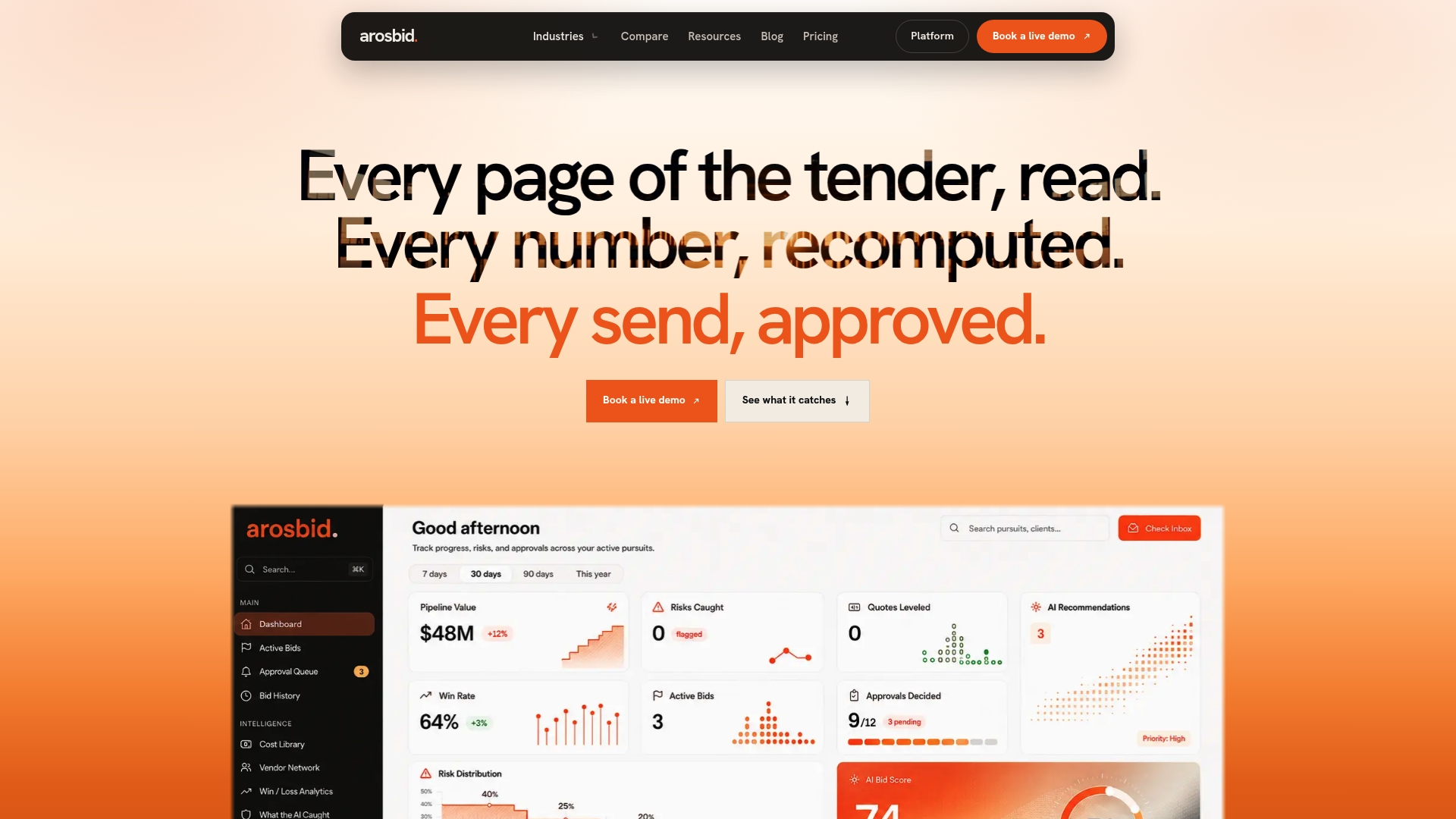
If your reminders live across inboxes and spreadsheets, a single place to see every request, response and quote status removes much of the chasing. ArosBid is a bid command center for construction trades. It tracks vendor quotes, helps you level them side by side, checks documents for compliance and works alongside Excel and Outlook. You can see how the vendor-side workflow runs on our vendor quote leveling page, or look at the wider construction bid management software.
When you want to see it on a live bid, book a demo. Plan details are on the pricing page.
Quick checklist before your next bid
- Calendar the three reminder dates the day the bid opens.
- Write your internal quote cutoff and tell vendors the reason for it.
- Use one reminder template with the eight elements above.
- Resend or reference the latest addendum in every message.
- Call, do not email, on the trades with thin coverage.
- Log every contact and every “no bid.”
- Review returned quotes for scope, exclusions and required documents the same day they arrive.
- After the bid, close the loop with every vendor and note what you learned. Our lessons-learned routine keeps that to one action per lesson.
FAQ
How many times should I remind a vendor about a quote?
Two written reminders and one call is usually enough: a receipt and intent check early, a progress check about a week or more before the deadline, and a phone call the day before for critical trades. More than that rarely produces a number and can cost goodwill. If a vendor has stayed silent through all three, treat them as not bidding and cover the scope elsewhere.
What should I say when a vendor has not responded?
Name the project, the scope and the due time, and ask one question: are they pricing it? Offer an easy way to decline. Avoid blame or urgency words; a simple fact such as “we review quotes at 2 p.m. Thursday” is enough.
Should I send reminders by email or phone?
Start with email, because it leaves a record and carries the details. Move to a phone call when the trade is critical, when the deadline is within a day or two, or when two emails have gone unanswered. Note the call in your log.
Do I need to remind vendors again after an addendum?
Yes. An addendum can change quantities, specifications or the due date, so tell every active vendor what changed and ask them to acknowledge it on their quote. That message also works as your reminder.
Can I automate vendor quote reminders?
You can automate the tracking and the prompts, such as calendar alerts and status views, but keep a person in charge of the wording and the phone calls on key trades. Automation is best at showing you who has not answered. Deciding how to follow up is still a judgment call.
Sources
- AGC best practices for preventing subcontractor default
- CMAA, Delivering Dispute Free Construction Projects, Part II